When you touch something only once, than you don't leave open loops, I understand that. But it can use lot more energy to do this! Let's see some examples.
I'm trying to make order in a room. I touch a thing what belongs to the kitchen - I go to the kitchen. I take something to bath, then an other to the living room, than this to the bathroom??? Silly. Isn't easier collect everything not belongs to the room (touched first) finish with the room, and after than touch it again and bring to the other room?
Example 2: Sorting laundry
When I sort laundry I touch things more than once. I have 5-10 categories (I don't know exactly), and when I start to sort, I don't make so much pile. I decide, "I do first light color clothes". I have here "misc" and "T-shirt" categories. That means I do 3 piles: these two, and everything else. I have decide only between these 3, and not 10 (or how much I have :D) Than I load the washing machine, and go an other round with pile 3, and I might take out "dark misc" and "dark T-shirts". And leave all others unsorted. (Rep. from beginning :))
Example 3: Mails
Touch once means: I come home, take out the mails, I toss advertisement in garbage - this is ok. O, here is a bill to pay -let's turn on computer, log in to my bank account, and pay??? No, this is silly. Mostly all of our bills has to be payed in 30 days. That means we can pay once a month, and every bill will be payed before the deadline. We have a drawer for bills, I toss all of them here, and I have a recurring task reminder in my calendar (scheduled for the weekend) - on that day I go through the bills.
Yes, yes, a trip. We are living far away from our birth country. This year Christmas days are in the middle of the school holiday and we decided to travel home at the beginning of the holiday and spending Christmas with the bigger family.
1. Create a project page
As so often I was lazy to print out a "real" project planner insert, I just took a notepaper. To write things done.
2. Brainstorming, and decision making
The first step was before the decision, here you can see our brainstorming. We have family meetings every weekend, when we can discuss all family related stuff. We listed here every ideas, what we can do (like: we don't travel home, we celebrate Christmas here, then we travel, etc.), what is the positiv and negativ side of this, then we voted.
3. What we have to organize here?
- Who we want to meet?
- What we want to make?
- When where with/by whom?
- Christmas gifts
4. Than come the tasks
- Create a list about who you want to buy a gift
- Ideas about gifts
- Buy the gifts
- Create a list, what things we have to take with us to others?
I started this already in summer, I have a notepaper by all month where I can make misc notes. When I was by my friend I promised here that I will give all of my homeopathic meds, because I don't use them, I wrote that to December.
- Find someone who cares about our rats. (done)
- Write everyone, when we come, and when they have time for us.
- Ask appointment to dentist.
- Create a timeline - when-where. For this I just drawn out the whole school holiday time. I don't think it would be worth to plan this in the "normal" monthly calendar. I will copy the outcome to there. Important note: leave time to pack in and out (and recover :D)! Driving a whole day and going to work next day is not a good choice.
- Book hotel
- Packing list - ok it is not so urgent, I can do this on the last week.
As you can see, I didn't written so much tasks here, I just know most of it. And I have the task in my planner: review "Christmas Project", when it is coming, I go to the project page, and find out what else I have to do, and write to the weekly page.
Most of the gifts are bought, other has to, they are listed to my weekly todo list, and some are not found yet, they will be under thinking at the next review :D
This is, how I organize our trip in December. If you have any question or tip, what else I could do, write me a comment (or you know: write me a comment, only because I want to know, someone is reading! :D)
I think, I told everything I planned to tell in this series. This last post is about say goodbye :)
It is hard to close a so big and long lasting work, what should I say? The main part I already summarised.
Some miscellaneous thoughts:
- Don't be afraid to start planning, just do it.
- You don't have to have from the first day a perfect system, it will evolve. A wrong system is better than having any.
- You will never have a perfect system, maybe something near. Your needs change, your system has to be adapt.
- I give you advices but my system isn't "ready" yet. I'm working on (OK, I'm an extreme example :)) that constantly.
- Have a calendar and place to take notes. Have a todo list. These are the most important things in your planner.
- Have your planner always with you.
- Write down everything.
- Ask if you need inspiration, how to organize anything. From Chaos to Order Facebook group.
From now on I can go back to most personal things - I wanted also besides this series, but I have energy only for one blogpost in a week. I'm happy if I can write about things also other people are interested, so please write me in comment if you would like to read about something.
I say goodbye from this series with a picture about my actual planners.
There are in our life so much things what is always the same. Happens on the same time of the week/month/year. Has to do the same thing. If you write them down, you don't have to think about so much. This makes things automatic.
Daily routines
I have a daily routine list since I tried out the FlyLady system. I don't do it any more, but having routines is a great idea!
- You can have a list for all routines somewhere in your planner (I have it by the R divider.) If you can be think on that, you can go every day there, and check, what you have to do. You might need to write to your plan: daily routine.
- Or keep a little card with the tasks by the dailies.
- Or have a sticky note to your day marker, and stick that to your daily, and move it to the next day, if you finished.
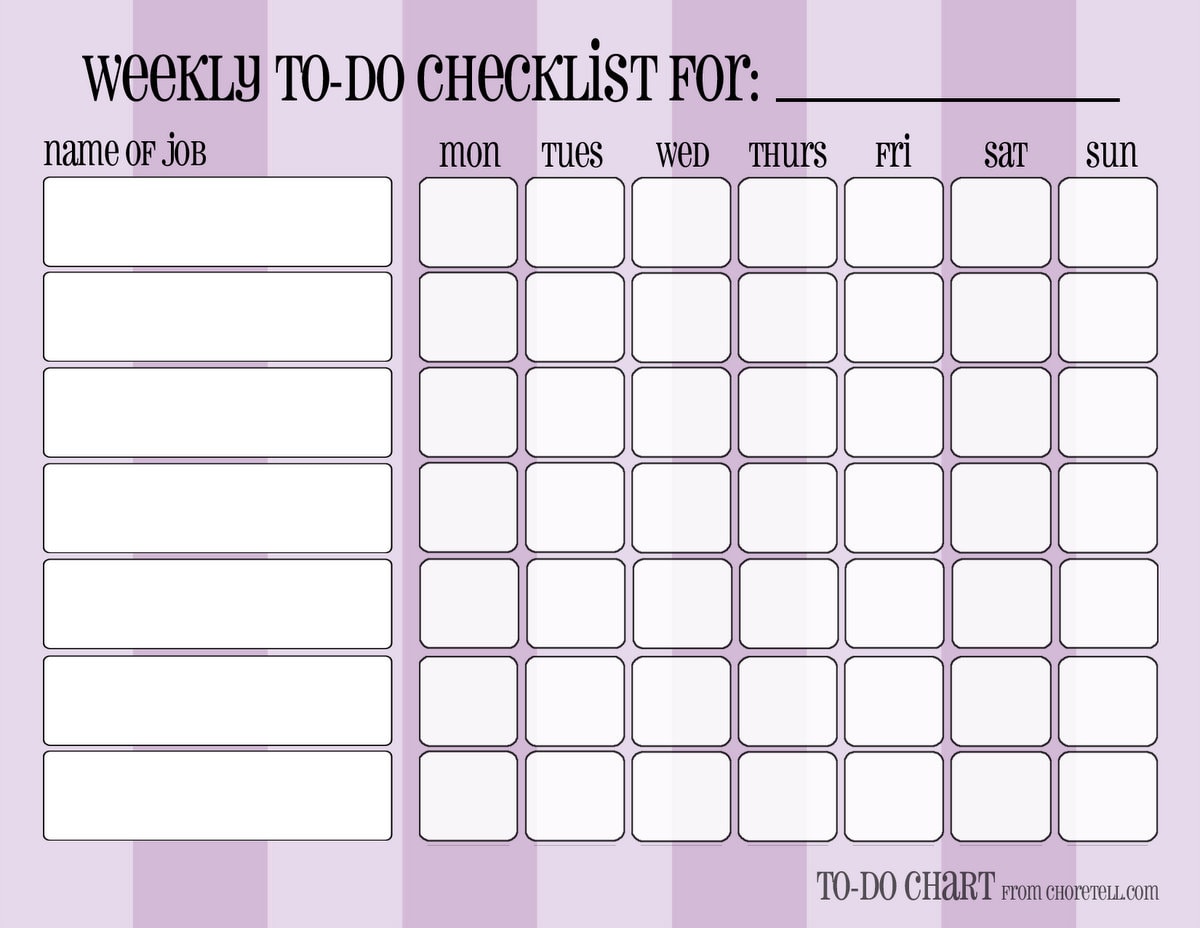
- You can have also a weekly chart for the whole week on your weekly spread
- or on your day marker.
- You can have a list by your routines list again. You can go to check it there if you not forget it.
- You can write a reminder to your weekly review checklist: write weekly routine tasks/appointments to the days. (This is, what I do - more writing, but I can't check things on different places :))
- You can write a list with this things on your day marker.
- You can write the repeatedly things on replaceable flags. Move this every week to the next week's pages.
Monthly routines /repeatedly appointments
Same options as by weeklies.
Seasonal/Yearly things
- List again.
- Copy from the list to the place.
- Have an insert/post it for every month: write on this every birthdays/appointments, to do-s you have for this month (like making book keeping, changing clothes for seasons etc.). You can stick the post it to the months, or you can use your insert as a divider.
They are genial helper! If a bigger task need always the same steps, and you need to do that task more times, you can make a checklist for it.
- The most simplest way: Have in your planner (or in a notebook) a place for checklists, and list all the subtasks what you need to the bigger task. When you have to do it again, go there, and make it.
- Make laminated checklists. Then you can mark the finished subtasks with white board marker, and use the checklist next time again. Disadvantage for this: laminated pages make your planner bulky. But why should you keep all of them in your planner? You can find a place for your checklists outside of it. Place only the actual to your day (week).
In the last post I summarised what everything you can have your planner and how you can organize it. I mentioned also, you might have use more planner (as I do). Why should you want to use more planner? The best way is to keep everything on the same place... I will try so much possible scenario to collect as I can.
You are a lot away from home and you don't want a big and heavy planner with you
Maybe you are using public transport, and you need your schedule with you. You can have to planner, one which you carry with you and one what stays at home. What size should you use? For "Home" planner you should have an A5 and for "On the go" planner a personal. Or pocket size. But if you fit to a personal size, both can the same size. I tried to use personal size, but it is too small for me. So I take my A5 planner with me! It's up to you. Keeping all planners in the same size have a very strong benefit: if you change your mind and want to move something from one planner to the other, you can do it easily! But it is not a must. What to keep in which planner? It needs a brain dump, what should you need on to go? Calendar for sure. Some informations, but not all. Phone numbers, if your phone is going dead. If you are going to work, work projects. But you might have also a work planner, what you leave on the workplace. Lot of people use Filofaxes as a wallet. You can have here all your cards, receipts, finance stuff, and calendar. Of course note paper and post its are must :) You can leave home most of your informations, home projects, yearly plan, etc.
Work and Personal planner
You might divide your stuff for work and personal. Here I have a very important advice: even if you have two planners, you should have only one calendar! If you have two, it will be cause a chaos one day. Keeping everything synchronized is an impossible mission. Ok, not 100 percent sure. There are some things, what you don't have to know on the other situation. If you have a blog planner why not to have an editorial calendar on it? You don't need that information what blog post you want to write, when you make a doctor appointment. But if the assistant offers you an appointment for working hours, you have to know, if you have that time a meeting, or it is possible to go later to work. If you have this informations in two planner, it makes a chaos. Also you can have work deadlines only in your work planner, because it should not influence if you can go out with your friend on Friday evening.
Something is too big or important in your life
Do you have a hobby? You might have a separate planner for it. To keep track you make, have, want, idea, brainstorming.... Do you write a blog? You can have a blog planner. Do you go to university? Have a study planner! Fitness planner.
You don't have enough space
If you like write and keel by hand so much stuff as I, you should have take out some sections from your "Main" planner. Have a separate Projects, Informations, 17 dividers ... planner. Why not?
What do you think: do you need more planner? What would you keep separate? Why? Share your thoughts on Facebook or here in comment!
Have you noticed, I left a week out! We were in Paris :) I'm back again, and ready to continue!
What do you have now?
If you have going with me, you have calendars, to dos, list, informations, someday/maybe section, or 17 dividers, notes, planning section, goals, projects. OMG, what a chaos! Do you need all? Where? What is important? From what you have a lot, and what is only a piece of paper? You might not need notes sections, because you don't make too much, or you use daily pages, and it's enough. You might not need to keep any information in your planner. Think about that, when you move on and plan, what to keep in your planner and how to organize all that stuff.
Stay by the logic we followed until now
But you don't have to have too much sections. What was the logic? Stuff comes in: Inbox. Time related stuff goes to: Calendar. Tasks are going to: Projects and Planning. No task, no time related is: Information. Notes are also Informations, isn't they? Goals belong also to planning. Lists are interesting things. They can be informations, like a wish list, or they can be also tasks! If you use only the bold sections, it will be only 5, not too much.
Keep it simple
The simplest way is if you have a landing zone with an inbox and notepapers, than your calendar(s) and planning pages - together or separated? Is up to you. Until now we kept the two thing in separate sections. I'm now in trieing keeping it together, and I'm very satisfied! I think, this subject deserves a separate post! Than have an A-Z section, where you keep everything else. Yes. No dividers. Contacts are going to C, Informations to the letter what is it about (colors to my homepage are by me by C, routines by R, etc), Projects to P...
Lift out
You have a lot pages from something? Half of your planner is by P, because you have a lot projects? Make for this a separate section. Keep all other stuff in the A-Z tabs.
I started here to lift out some stuff, I'm not sure yet, what I want, that's why I didn't created dividers yet.
And my A-Z dividers
Thematize
Lot of people like to keep sections in their planner like: Family, Work, Home, Finances, etc. Are you one of them?
More levels
It can be also overwhelming, but it is also simpler than a 100 divider system :) Some example:
My example: I started to set up a separate "business planner" for me. For now, I have these main categories:
In all sections will be sub-sections
Blog - sub-sections
OMG! Subsections in subsection!
I added to Blog Planner also monthly tabs.
Combine
Or combine any of the above mentioned ideas together!
If you have any other organizing idea/logic, please do not hesitate to share in comments below or on the Facebook!
Housework for next week
Make a brain dump: what logic is your way? What is heavy in your planner? Use page flags to make your system, and use your planner with it for couple of week. Re-organize if it was not the best solution! If you are happy with it for a while, make your dividers!
What am I doing here? Using more planners? O, yes, I have a lot! Next time I will be write about why you would want to use more planner, and how to organize them.
------------------------------------------
If you have any questions, please do not hesitate to ask in comment! Share your experiments in our Facebook group, and get more help!
Last two weeks I wrote about monthly and weekly calendars, today we arrived to the daily insert. Until now I was asking you to use daily pages, but from now on you can decide if you need it or not. It depends on, what other calendars you use.
I can imagine some combinations...
- Do you have only a few appointments and time related tasks? Use monthly calendar to write your appointments and one or more running tasks list.
- Do you have a lot of appointments and not too much time related tasks? Use only weekly calendar and write here all appointments and your time related tasks. Have some tasks list for not time related tasks.
- Do you have only a few appointments but you need detailed daily task list? You might need monthly calendar for appointments and daily dockets for daily planning.
- You might like to see the big picture in the monthly calendar, more details in your weekly and also need more place for daily planning. Use them all!
How to organize those calendars?
There are two options here:
1. Have a section for all type: monthlies, weeklies, dailies. This is the common way. Most of calendar you buy in print contains the months, weeks after each other's back.
2. In time. You might find some monthly calendar, which is printed on 4 pages, something on the first and last side, and in the middle is the calendar itself. In this case you can place your weekly, daily inserts between two monthly insert. I like this way much better, this is how I organize my planner. If you don't buy inserts you can also make yourself that's way. Where to put the dailies? By 2/4 pages per week, I have no better idea, only between the two half of the week. But if you have your all week on one page, and the other is for notes, you can place it after that page. What if you don't need a daily insert every day, but sometimes it would be good? You can stick a post it to your weekly calendar, and plan there your day. Or a notepaper. Or take an undated daily insert. Keep some from them in your planner, just be by your hand if you need one.
I think, I already wrote this, but here I want mention again: keep couple month monthlies before and after the current month (I like to keep a whole year for the future, but I didn't printed yet for the next year... I should, shouldn't I? :)) Keep couple of weeklies (3-4 is enough I think), and only 1, maximum 2 week dailies in your planner. It makes no sense to make it too heavy. I remove Sundays always the whole week.
You can take a look into my current system:
Daily inserts
Ok, let's say, you need them. If not, you can wait to the next week's post! do1p or do2p? If you have lot to write, or you have a smaller planner, you might need two pages per day. You might use one side for concrete planning: schedule, tasks lists. And the other side for note taking, doodle, decorating, tasks has to tracked, writing journal, shopping list, keeping post it notes for running to do list, etc. I recommend if you are right handed, keep the planning side on the right and the notes on the left, and if you are left handed, than mirrored. If you have a bigger planner, or you don't want to write too much, you can take a do1p insert. A little trick: if you want to write on this always on the right (left) side, punch the other side too, and flip it over for the next day!
What you need to write on the daily page? I showed you a lot different options before.
Homework
What calendars do you need? How you want to organize them? Reorganize your planner this way! Think about it: do you need a daily page? What do you need on that page? Find/make yourself the perfect daily planner page!
Last week I wrote about the monthly calendars. You had to decide, if you need that and which format. This week's post is about the weeklies.
Do I need a weekly calendar?
You might have only a few appointments - in this case for you can be enough only a monthly calendar. What if you have a lot tasks to do? You can have monthly calendar with appointments, deadlines plus daily planner pages. But if you have more time sensitive stuff to remember, as appointments, deadlines, time-related stuff, or you want to write about a thing more details in your calendar, you will need the weekly calendar too.
How it works together with the monthly calendar?
Keep a whole year of monthly calendars in your planner (nowadays you can already thinking on buy/print one for the next year, and you might take out some months from the beginning of the year), and only couple of weeks from the weeklies. Depending on, how much place you have in your planner, and how much you plan for the future. I recommend to write to the monthly planner very shortly, without any details, you can keep those informations somewhere else. When the time is near, copy the appointments to the weekly, and write there (or to daily page, if you will use one) the details. Where, with whom, telefon number, what you have to bring with you, etc. If you have a monthly planner for an overview, never, never ever organize an appointment direct to a weekly. You might miss that info from the monthly and get trouble. Even if it is the current week, write that appointment into the monthly.
Weekly calendar layouts
There are so many!
Vertical layouts: Timeline or not?
Having a timeline gives you the opportunity to have a visual reference how you spend your time. (I wrote about by daily planning about time schedule here.) Even if you don't write the tasks to the weekly calendar, you can block out your time for "project 1", "client B", "work by computer" etc.
1. Let's start with the classic Filofax vertical wo2p. This format can be very helpful, if you work busy, and your work is time sensitive. Appointments, meetings, etc. You can schedule your whole day here. But where to write tasks? Hard this way. You might need to add a daily page or a todo list. as you can see, you have 5 columns for working days, and 2 for Saturday-Sunday, lot of people don't like it, but maybe you don't want to plan anything for the weekend, then why not? This way you have more place horizontally as in the next example.
Original Filofax wo2p insert
2. Vertical wo2p with timeline and tasks. Here you have the same place for each day, plus an extra column for - tasks, thoughts, notes, trackers, etc. But you have less space for a day. If you have not too much tasks per day, you might prefer something like this instead of using a daily planner.
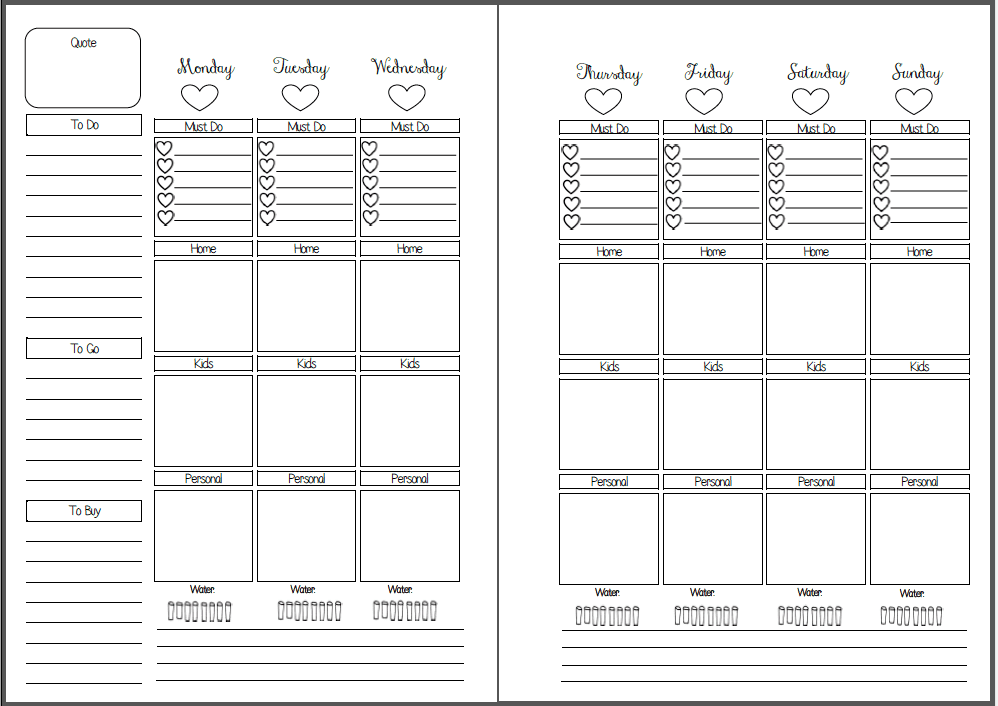
3. Vertical wo2p. I chose here an other format without time, here you have sections for the day. You can find from this format in very very different variations! But. This is not really a calendar! Here you don't have place for appointments! But you can use such format as an addition to the monthly calendar as a weekly planning page. Yes-yes, calendar and planner pages starting to mixing with each other. No problem, you only have to keep in your mind: what is what.
4. The simplest is if you have only the days here, like here:
wo2p horizontal from Filofax
This layout don't give you too much clue where to write what. By this inserts can you also find where you have the same place for all days, or less space for the weekends.
5. Horizontal wo2p with some structure. You might write your appointments to one column, and the tasks to the other.
Weekly calendar/planner from Plannerfun
You can download this insert from Plannerfun for free.
6. I really like this insert from Filofax Clipbook. Here you have all the days in one side, and 3 columns on the right, where you can add sections, what you want. I used this before for menu planning, social media planning and for misc tasks.
7. If you don't have too much to write (I can't imagine this! :)), you might need only one page per week, like this:
9. 5 days on one side, weekend on the other side (this is my own insert, not available yet). I like this format, because I can keep my daily insert always on the right side, and I can see all of my working days at the same time.
10. I have seen a wo4p insert in vertical format, with 5 days plus a task list on two page, and on the next page was the weekend, plus maybe notes, unfortunately I don't find it. It was maybe on Facebook or Instagram?
I would be happy to read in my Facebook group, what you chose and why?
If you have any questions, please do not hesitate to ask in comment! Share your experiments in our Facebook group, and get more help!
As we finished with the basics, we can move on, and adapt your system to your needs. First: calendar. If you have not too much appointments, monthly calendar can be enough. If you need more, use weekly also. Or only weekly. If you want more together, you might want a yearly insert for wider perspective (for holidays, travels), or even more, there is also 5 year overview! Let's see first the opportunities for the monthly calendar.
Monthly calendar
Monthly calendar has small space for the days, so if you have tons of appointments it can be small for you (another question, what size of planner you use...). But I never met before someone who would have so much. Why is a monthly calendar worthy? You can see at a glance your month. How much things you have in days next to each other? What deadlines? Holidays, etc. I use the monthly calendar for organizing my appointments, I write everything here what I know about the future, school stuff, doctor appointments, holiday, etc. In weekly layout come only copies from this. Because you have not too much space you might use shortcuts, as stickers, letters. You don't have to write here everything, find a place where you keep the connected informations, and mark those appointments somehow (I use a +), where are additional informations (like where, what to bring, what's the name of the doctor). If you use color coded stickers, or drawings for repeating things, you don't have to write anything. Like: paydays, swim course, cleaning...
I keep maybe a year of the monthlies in my planner.
Format:
1. mostly used the mo2p, this is what I also like (see mine above).
2. Filofax has this format, also month on two pages, what I do not prefer, because the visual clue is not too strong when weekend is.
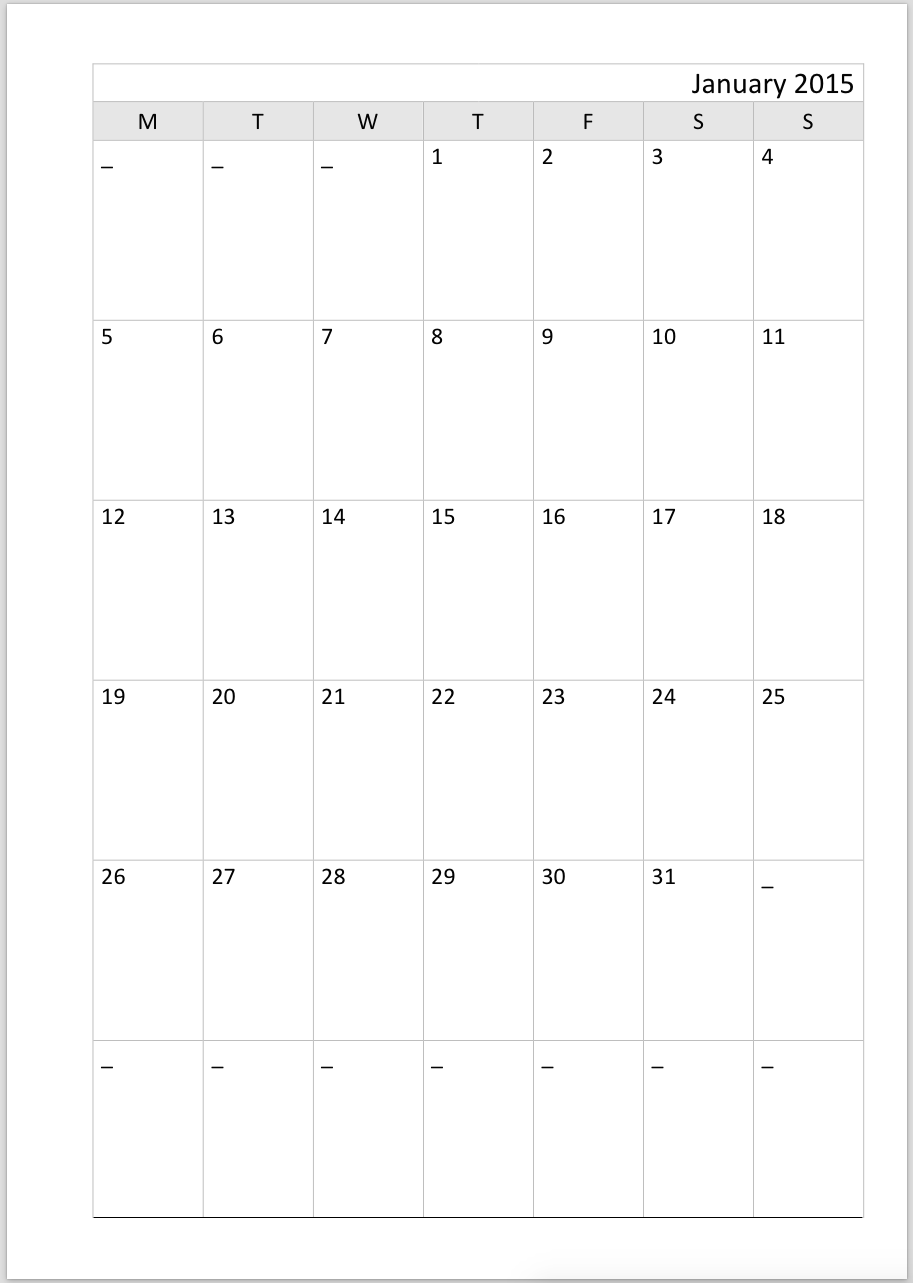
3. Mo1p - you can find a lot on the internet, but you have less space to write. This one from Philofaxy:
4. Horizontal version from Filofax, here you have place also for planning, or note taking:
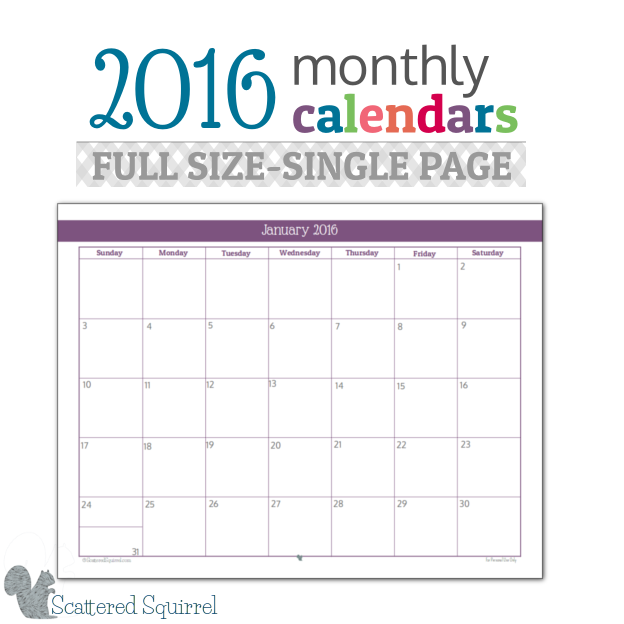
5. Horizontal mo1p is a good choice, if the rings disturb you. - example from Scattered Squirrel
Week start?
Not too much to talk about: decide, what works for you, Sunday or Monday.
Homework for next week
Think about if you need a monthly calendar or not? What format would be best for you? Maybe download some free versions for the internet in different formats and use it for the next couple of month to see, which one you like.
(You can download a lot different format from Philofaxy Blog.)
As I promised: before we move on to second level, a little repetition is coming. I want to summarize the previews posts.
Summary of the first 14 weeks
1. What you need?
First week I wrote, you will need a planner and calendar inserts for writing appointments, I recommended for start the week on two pages version. To take notes, notepaper. You started writing appointments to your calendar, to dos and notes to notepaper. I recommended to have your planner always with you.
2. New sections
On the second week you created dividers for Calendar, To Dos and Lists. (I will mark the dividers with green color.)
3. Inbox
On the third week you added an Inbox folder and notepapers as a landing place. You collected here everything you have to deal with.
4. Organizing stuff
On the fourth week you started to organize the collected stuff from your inbox. You added Informations section for infos, Someday/Maybe for to dos you might want to make one day. You left time related stuff in inbox, until the last week, when you made the 17 folder section or you putted your stuff somewhere else. You might added Notes section.
5. Planning
We started talking about real planning only on the fifth week, you added a Planning section with weekly and daily inserts. I asked you to use day on one page for daily planning, until we are talking about other options.
6. Weekly, daily reviews
You could read on the 6th week about why is a review important, and what you have do.
7. Values, 9. Roles, 10. Goals
For seeing, what is important for you, what you really want and must do, you made some exersizes (values, roles, goals).
8. Monthly planning
On the 8th week you added a monthly planner insert to your planning section, and planned your first month.
11. Decorating
On week 11 you got some time to rest, I wrote about decorating the planner.
12. Projects
On the 12th week I wrote about how organizing tasks into projects helps the planning and achieving your goals. In that post I forgot to write to add a Projects divider. Please do it now! :)
13. Monthly review
On the 13th week you made your first monthly review.1
14. Place for time related stuff
Last week I recommended some options to keep time related stuff.
So what?
If you made everything as I written, you have tons of dividers. If you take a closer look on it, it's really 3 different things. Calendar, planning and informations. Calendar tells you when what you can/must do. Informations are in projects, lists, to dos, they are telling you what you can/must plan in your planning sections. This is how the all stuff works together. Now the question is, what sections you need and how you want to organize your planner. This comes in the next weeks.
If you have any questions, please do not hesitate to ask in comment! Share your experiments in our Facebook group, and get more help!
As I promised before on week 4, now we will add a section for time related stuff. The idea comes from the 43 folder system, where you have a foder for 12 months and for 31 days. The actual month and day is always the first. All todo-s, projects, info pages is going to this system, to the day/month when it will be important. Concert ticket on the day, project files, when you have to start work with, etc. But we have our planners, where we plan our days, weeks, months... In a planner would be 43 dividers or folders too much.
17 dividers
I simplified this system for months and weeks. If you like the idea, create 12 monthly dividers, first comes September, the actual month. Plus 5 weekly dividers - you can choose what first week means. It can be from the first day of the month to Sunday (Saturday?), or decide where the mixed weeks are going (I use this mostly, 28-3 is the last week of the month for me).
Put all time related stuff, like information for events, or to do-s here.
Some example:
Letter from school - there is more thing, I will move it forward
Camp packing list for tis weekend
Next year camp reminder by May
A call for submission - I don't know if I want to do this, or not, but I will see, when the time comes
You can keep here reminders for recurring tasks must do always on the same month or week. Events happens yearly, like birthdays.
You can collect ideas for the future, maybe for birthday presents.
Some Christmas marketing ideas by November
I have an envelop also for 2017 with a note about ID-s will expired.
Future section
If you don't want the 17 dividers system, or you maybe have only a few of such things, you can use the future section for saving this files too. Or (what a scandallum!) keep this stuff outside your planner. Create a folder for it, or a papertray, what makes you sense.
Homework for the next week
Find your way to store the time related stuff, and install it. Place here your stuff you already collected. Don't forget from now to review this weekly!
I think, we have built the basics of a planner. Before we go further - with more ideas, variations of calendars, files, sections, more planners, next week we will make a little repetition with a summery of the first 14 weeks. Stay tuned :)
If you have any questions, please do not hesitate to ask in comment! Share your experiments in our Facebook group, and get more help!
One month is gone after you wrote your first monthly plan. The question is now, what happened? Did you finished everything what you wanted? Did life changed? Had you have to changed something? Could you predicted what you can finish in a month?
What is a monthly review?
It will take 1-2 hours, please schedule time for it! You have to revise everything: your yearly plan, your goals, projects, last month, changes in your life.
Steps of monthly review
1. Clean up your inbox
Hopefully there is not too much things here :) As a reminder, here is how to do it.
2. Make a frame for your upcoming month
Take a look into your monthly calendar: what will be happening in the near future? How much appointments do you have already scheduled? Are you planning vacation? How much responsibility do you have? Start to write to your monthly plan tasks/projects you must/want finish - related the calendar items. Deadline: it connects surely to a project. Birthday: Do you have to buy present? Do you have to organize something?
3. Revise your goals
Are your goals still actual? If not, rewrite them! Write tasks to the monthly planner connected to your goals.
4. Revise your yearly plan
You could have adjust it, if you should make changes in your goals, if you hadn't predicted what you can do in a month and you didn't finished something or something came up. Write the tasks for this month from the yearly plan to the monthly.
5. Review your projects
Actualize your projects list, you might finished some in the last month, or created some new one. Go through the project pages: check if you marked all finished tasks, steps, if not, do it no. Actualize your task lists. Decide on which project you will work in the next month.
5. Last month
Review the last monthly plan: have you finished everything? What not, is still actual? If yes, plan it for the next month.
6. Write in your recurring tasks
It worth to create a list for things happens/has to do every month. I have to pay bills every last week of the month. I make the same promotion on the first week of the month. Presumably you have also similar things.
7. Make the plan!
I highly recommend to portion out them to the weeks, as I showed in the monthly plan post. But of course, you can make a simple list also. Or thematic.
Homework for the next week
Make your first monthly review. Please share with us your plan in the From Chaos to Order Facebook group!
If you have any questions, please do not hesitate to ask in comment! Share your experiments in our Facebook group, and get more help!
Until now, we written only tasks to our lists - in fortunet case. But tasks aren't separate things. They are connected with each other. Sometimes is hard to finish something, because you don't know, what to do. "Organize the vacation" - what the hack is that? Such "task" can sit in your planner for a long time, because it is not doable. What is it then if it is not a task? I would call it a Project.
Why to thinking in projects?
If you think on something like a project, it is easier to organize. A project can have a deadline. It has tasks. It needs material. There is also informations connected to this. Organizing a trip is a project. I will explain the whole thing with this fictive project (not really fictive - we are organizing a trip to Paris in October...)
Paris trip project page
How to organize a project?
1. What steps or parts has this project?
Decide: when and where.
How we get there? Buy tickets if necessary.
Where to sleep? Book hotel.
What to do? Only relax? Sightseeing? What to visit?
What to bring with you?
2. Deadline(s)
Deadlines can be artificial too. Define a deadline for all parts of your project, if you don't have one from outside.
3. Informations
Collect all necessary informations on the same place. Catalogs about hotels, interesting places. Your notes about these. Booking numbers, etc.
Notes about the train - we didn't chosen this
Hotels in Paris. A very messy note page :)
4. "Things"
I didn't found a better word on this. Things you need. For a skiing you need ski. If you flight first time somewhere you might need to buy suitcases. You might need a valid passport.
5. Tasks
The trickiest part. We tend to think on things like tasks, also if they aren't tasks. You cannot only buy flight tickets. Yes, it is a task. But what have you do first time? (David Allen calls it next action.) You have to discuss with your family, when will be the trip. You have to decide you will flight. That can you go and search flight tickets, that can you buy that ticket. You have to analyze your project: ask yourself "what can I do next to achieve this part of my project?" Don't be afraid, you don't have to write all tasks for the whole project at the same time. You can do it step by step.
How it comes together with other planning things we talked before?
Handling 10 projects in monthly/weekly planning is more simpler, as handling 100 tasks. Have a list of your running projects and take a look on it every week.
My current Projects List
Plan projects, or part of the projects in your monthly/weekly planning. Than take out your tasks in the daily planning.
On my monthly planning page:
On my weekly planning page is a little chaotic: sometimes I wrote tasks (buy Disneyland tickets), sometimes stuff (finish bookkeeping).
On my current weekly planner page
Homework for the next week
Take a look on your goals, your tasks from the last week, and try to find out, on what projects are you working on? Write a list!
Take for all a piece of paper and start to organize the projects as written above. As you practise to thinking on things like projects, you will be better in finishing and track things. Let me share a project. My daughter has to go to dentist. It is an appointment. I write it to my planner. Then the doctor tells me, when to come back, how to clean her dent etc, and then I think on it: cannot be "going to dentist with D" a project? It might be an extreme example... If I have for it a project page, I can keep dentist contact, next visit date, gotten informations etc at the same place. Next time I have that all by hand.
If you have any questions, please do not hesitate to ask in comment! Share your experiments in our Facebook group, and get more help!