Showing posts with label tasks. Show all posts

1.12.2016

The "Next Week" flyleaf

I have this flyleaf already for months ago in planner. It helps me in weekly planning. This is a laminated piece of paper, where I wrote with pen - Frixion users, attention: never write on a piece of paper you want laminate!!! I didn't wanted to spend too much time to designing an insert for this.


What all function the next week flyleaf has?

1. Keeping the weekly review checklist
Everything I have to do on my weekly review is listed here. I can use whiteboard marker to check the points off.


2. A list about our weekly routine
I didn't wrote this on the paper, because it can be change. It's on a post it note. As you can see some stuff is already added to it. Having the family routine by hand by weekly planning is very useful, I don't have think too much, what everything we have, only write them in. The are also recurring appointments and also tasks I have to do on a specific day on the week. 


3. Place for next week's tasks
Sometimes come something into my mind, and I don't want to add to my actual weekly tasks, because I have enough. I also don't want to write to my next week planning page, because I might use a different format (as before I tried so much options, or I just don't want to make it disorganized. I just jot it done here, and I can add to week, when I make the weekly planning. Sometimes works this post it as a master to do list, when I don't write next week something to my tasks, I just leave it here for later. While I have a page marker on the top, I can reach this place very quickly.


4. Pending items
On the back I keep waiting on stuff on post it's. I review them weekly, if it's finished, or have I something to do with that thing. I have also a don't forget post it here just in case :)


What do you think about this useful tool? Would you use something similar? If yes, what elements would you take?


If you have any questions, please do not hesitate to ask in comment! Share your experiments in our Facebook group, and get more help!  


Read more…

11.03.2015

How to build your perfect planner system? Week 21: Make your life simpler: routines and checklists

There are in our life so much things what is always the same. Happens on the same time of the week/month/year. Has to do the same thing. If you write them down, you don't have to think about so much. This makes things automatic.

Daily routines

I have a daily routine list since I tried out the FlyLady system. I don't do it any more, but having routines is a great idea!
- You can have a list for all routines somewhere in your planner (I have it by the R divider.) If you can be think on that, you can go every day there, and check, what you have to do. You might need to write to your plan: daily routine.
- Or keep a little card with the tasks by the dailies.
- Or have a sticky note to your day marker, and stick that to your daily, and move it to the next day, if you finished.


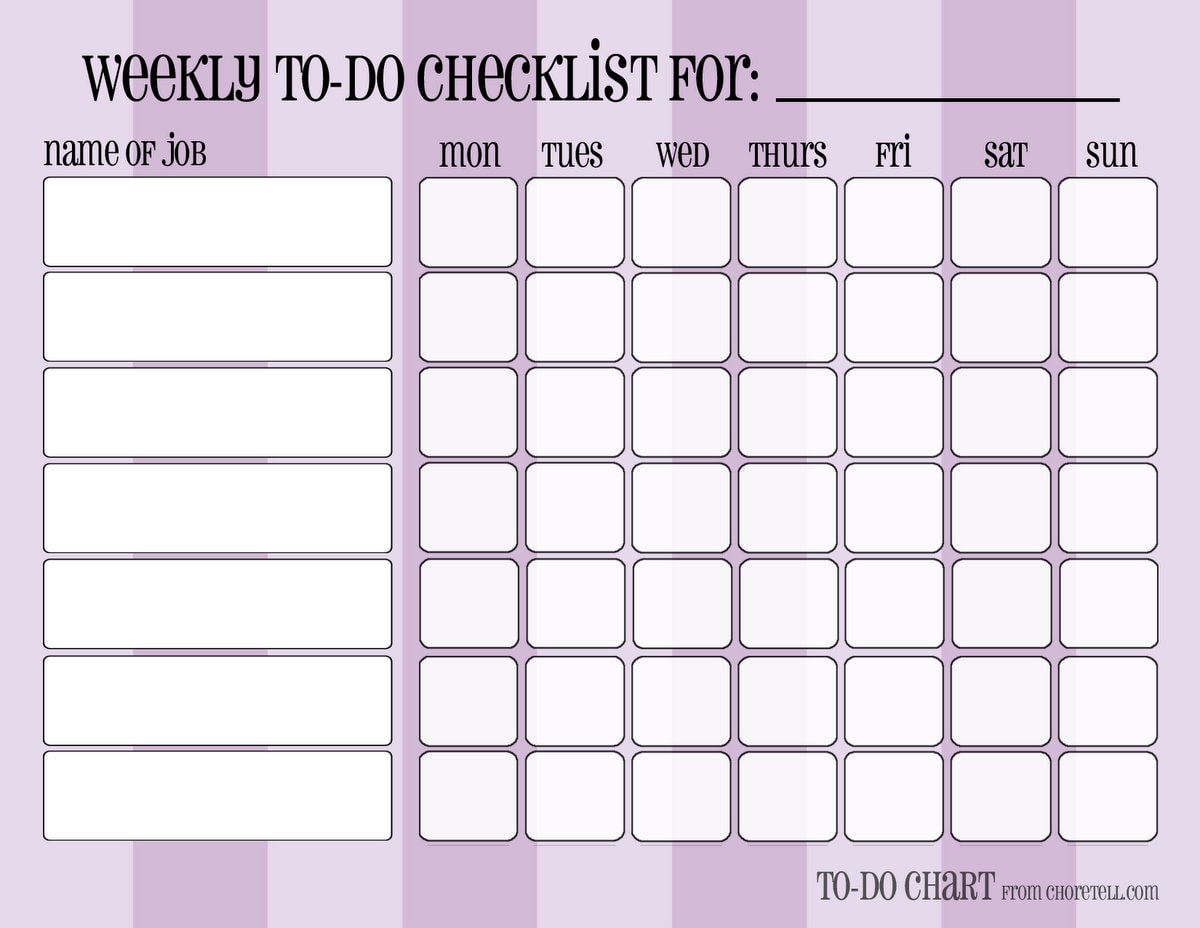
- You can have also a weekly chart for the whole week on your weekly spread
- or on your day marker.

Some of mine:

http://srplanner.blogspot.ch/2015/05/page-marker-with-daily-routine.html


Zsuzsa Kiss (@muzsika19) által közzétett fénykép,


- or on a separate insert:
http://choretell.com/kids-5-12/patterned-weekly-to-do-chore-checklists/


So much options!

Weekly routines / repeatedly appointments

- You can have a list by your routines list again. You can go to check it there if you not forget it.
- You can write a reminder to your weekly review checklist: write weekly routine tasks/appointments to the days. (This is, what I do - more writing, but I can't check things on different places :))
- You can write a list with this things on your day marker.
- You can write the repeatedly things on replaceable flags. Move this every week to the next week's pages.

Monthly routines /repeatedly appointments

Same options as by weeklies.

Seasonal/Yearly things

- List again.
- Copy from the list to the place.
- Have an insert/post it for every month: write on this every birthdays/appointments, to do-s you have for this month (like making book keeping, changing clothes for seasons etc.). You can stick the post it to the months, or you can use your insert as a divider.

http://srplanner.blogspot.ch/2015/01/the-17-divider.html

Checklists

They are genial helper! If a bigger task need always the same steps, and you need to do that task more times, you can make a checklist for it.
- The most simplest way: Have in your planner (or in a notebook) a place for checklists, and list all the subtasks what you need to the bigger task. When you have to do it again, go there, and make it.
- Make laminated checklists. Then you can mark the finished subtasks with white board marker, and use the checklist next time again. Disadvantage for this: laminated pages make your planner bulky. But why should you keep all of them in your planner? You can find a place for your checklists outside of it. Place only the actual to your day (week).


Read more…

8.06.2015

My ideal planner would be...

I think it doesn't exist.
Lets see what I want, and what planner gives me that.

1. Monthly calendar

It has to be big enough. I'm visual, I love to use my stickers to see what's going on. I got this feature perfectly in the Happy Planner. I think A5 Filo would be also enough, I never tried. In personal, too small, hate it.

2. Weekly calendar

I prefer now the vertical layout, but I'm not sure in that, maybe what horisontal I used hasn't enough structure, and that's why I made it chaotic. In A5 Filofax was too much lines on horizontal, and for me was not enough wide by a day to write in. Happy Planner give me the size. Personal size: too small.

3. Monthly planning

It's ok by any planner I used before, I can add my planner pages in any size. I want to see the big rocks, and having place to distribute them to the weeks. It's ok to having it separate from the other stuff, I take a look on it once a week.

4. Weekly planning

I want to see it somehow together but separated from the weekly calendar. I want it together but separated from the daily planning. In Happy Planner it's not perfect. Projects listed on the left column, but I don't have enough space for all todo-s I want to listing. So I added a list paper in the middle, what is disturbing, I would like to see the whole week at a glance. It is the same thing with the page marker. How could I have the page marker and the todo list make at the same time visible and invisible? :D I don't want to flip to my todo list. I want to keep it at the week - see? It seems to be impossible. But I write here, who knows, you can give me a good idea! In personal I had enough place, and made a fold out, what was not bad, but also not good. Somehow I didn't checked the list, I don't know why. It wasn't simple to write on it.

5. Daily planning

I want to keep it together with my weekly planning and calendar. Mission impossible (or I didn't found the way). When I have do2p in personal I felt it so separate, I have seen only that day. But what I do today is influenced what I will have tomorrow...
What I need here: place for time schedule, visual! To do list, notes. But I don't want to copy events always from the weekly calendar, it is wasting time. I don't want to write tasks to the schedule, but I hate leave unused space on the schedule it is paper wasting. I need different amount of space every day for notes. When I had do2p in personal size, I often left the whole note page clear. Wasting paper and place in my planner. I need something more flexible. No idea.
Size: personal was for daily's perfect, A5 was too much, also do1p, in Happy Planner: no way a whole page for a day, would be crazy. I'm experimenting now, how to use the weekly layout for daily planning too. I would be happy for pictures in my Facebook group how everyone use a system similar to Happy Planner. Not nice decorated ones, they distracts my attention. Functional ones. I'm hesitating to create Chronodex stickers for the schedule, they would be left me enough space for planning, but it might be too small. Notes aren't solved in Happy Planner. Maybe Post its. But where to keep them?

6. Notes, infos, tracking

Is not a big deal, I can solve it in any planner.

7. Size

I want to keep all stuff together. What exactly? Minimum my calendar to bring with me, giving the opportunity to make appointments. Have place to take notes, and some very important informations always with me (as insurance numbers). I used for a while for this reason my Filofax Pennybridge as a wallet plus monthly, weekly calendars and note papers. But I didn't liked to have that separate my "planner planner" :D So adding to the minimum: weekly, monthly planning and more infos, tracking items. I make lot of notes and I love to keep lot of informations with me. What makes my planner bulky. That's why I bought the Kikki K medium, which has 30mm rings. Too bulky. Why have all planners soooo bulky covers??? Paper is already enough bulky. Plus point to the Happy Planner: no cover only that laminated paper. If I could solve everything in the personal size - or pocket... hmmmm, I would be so happy! The Happy Planner is too big always to bring with me! Also the A5 Filofax - it seems to be bigger because of the cover. I might try again the Domino... It has no pockets.

8. Bound

I love much more the rings as the disks! I'm thinking sometimes about the Traveller's Notebook, but that I can't give anywhere an extra sheet held me back. Plus it is also small, isn't it? And laying flat is a must. I keep my planner always open next to me.

Conclusion

I think, I covered all things here.
My ideal planner would be a Filofax Finsbury Pocket,
which can keep a lot of paper without turning too bulky
with a Happy Planner size monthly planner
with some magic a big weekly and daily view together.

OK. If you see somewhere my ideal planner do not hesitate to share with me! :D

Read more…

5.07.2015

Where do I find my inspirations for planning?


Flylady

Flylady is a home care program, you can subscribe it, and get starting to build out your system. What I learned from that: 
  • having routines
  • plan for cleaning
  • you can do any not-liked-activities for 15 minutes - use your clock
  • you made your chaos over a long period, you can't remove that in a day, take your time
  • hot spot - work on them every day

GTD

Or Getting Things Done by David Allen. It is a book what I didn't read (yet), a system for completing your tasks. I read about it on the internet. Main things (it can be inexact):
  • get all todos in one place, called inbox
  • than sort out where they belongs (something I remember: by computer, calls, maybe/later)
  • you have to write micro actions what can be done (like call xy instead of organize a meeting) - they are doable steps, which help to accomplish the tasks. Called next action. (that would be for me not working, I have for one day maybe 50 things, what I'm doing, that would be a chaos)
  • review your progress monthly, weekly, daily basis
What I use from that:
  • inbox
  • reviews

43folders

Find the homepage here. But better google it, what it is exactly. It is builded to working on GTD. Core of the system:
  • you have 43 folders
  • 12 for each month
  • 31 for days
  • actual month is on the front, with actual day
  • when you clean up your inbox, you place the thing you have to working on to the day, when it is actual - if it is in the current month, or to the month if it is the upcoming.
  • at the morning you take out the folder of the day, and working on the things, they are in. the folder of the day at the evening goes to the next month folder. 
  • at the end of the month the month folder goes to the end.
I simplified this to my 17 dividers system, working with month end weeks.

Internet

I also browse a lot on the internet and read about time management, work efficacy, etc.
Videos on Youtube.

Blogs, what you should have to follow:


Read more…

3.02.2015

3 tips for how to make sure you complete "Important but not Urgent" tasks


Choosing the right task what you do now (or decide, when) is the most hard part of planning. Take a look on this diagram:


  1. Important and urgent: it is very simple. You must do. Now. No question. There was an accident, someone got hurt: you has to bring in hospital. Not tomorrow, now. This is an urgency case. But other things can be falling in this category if you don't plan carefully. Making not important thing and procrastinating important things for the last minute can cause big stress. The goal should be to avoid this situation! How? To plan carefully the important, but not (yet?) urgent tasks.
  2. Important but not urgent: this tasks tend to be always postponing. Why? Because that had maybe no deadline, or it is somewhen in the future. We can find other most interesting things to do and thinking, that we don't have to work on this task now.
  3. Urgent but not important
  4. Not important, nor urgent tasks

About this two category will I write in an other post.

3 tips to avoid the stress caused by not urgent but important tasks waiting to do


  1. For little task, dedicate a project, named "procrastination list". Find a time frame for this project every week. Plan an hour or how much you would like to working on this list. Keep the list by hand, and write everything here what falls in your mind. If the times come, do not care about any other thing! Even not your urgent tasks. Pick any task from the list and start doing. If the time is over, stop. List goes to rest until the next week.
  2. If the things are long term projects, you can schedule for each of them a day. Decide, how long you will be working on that project, and do this! Very important to make good notes and task list, not to forget what you started. To make more clear, on what I'm thinking, my "Task of the Day" are: working on my homepage, bookkeeping, dyeing yarn.

  3. Use markers every time you reschedule a task. First one point, second two points (or what you like), if you reach 5: make a decision. Do it now. Or cancel. Or find someone who can do it. Of course it makes no sense to plan a task, if you are not able to do it on that day. 


I wish you more success to finishing every important tasks!

Happy planning!
Zsuzsa

Read more…