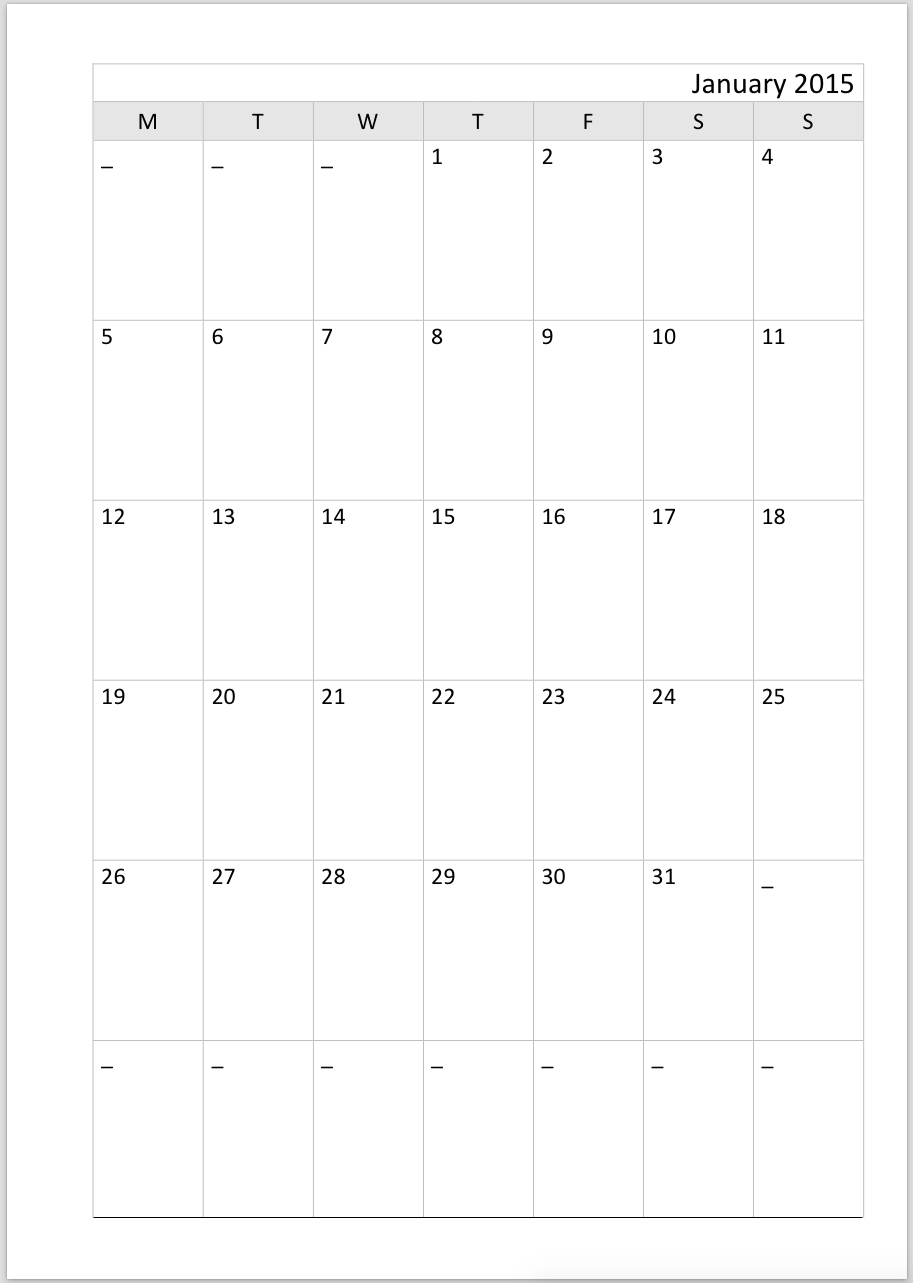
A monthly chart is a table with on column for tasks, or anything else :) and 30/31 columns for the days. In cells you can draw, check off, color, write.
1. Planning
I tried to use a monthly chart for planning before, but it didn't worked for me. Like: add tasks to the left column, and mark on which day you have to do this. I planned very well, just never checked :D
2. Tracking projects
On the top of my chart I track on what project I'm working when. I want to summarize after couple of months to see, which type of project how many days need. As you can see, I color when I'm worked on something. My patterns stayes from more steps, where you see letters, means, where I am in the progress.
3. Tracking goals
On the bottom I mark, when I did something to my goals. When I have planned something on a day, I draw a square. As you can see, it is not going perfectly :D
4. Other ideas
Weight loss
Write the weights to the rows, and mark every day, where you are.
Mood, other well being tracking
Write every day to every category how you rate it. Like 1-5 or 1-10...
You can also leave for something (headache) so many rows, how many value you want to use, and color so much, for how many you rate that day.
Keep track events
Mark no school days, your husband work schedule, trash days...
I catch myself again and again, that I live like a robot, doing tasks without prioritizing, only what get my attention. Even if I write them down, make a plan. I know, knowing my roles and goals are a key for doing what matters, and I even wrote then done, but tracking is somewhere lost.
What is missing?
Evaluate the progress, reflection back to the last week/month/quarter/year. To see, what I accomplished, how I'm coming nearer to my goal. Adjusting the goals if needed. Because these questions isn't built in my planning system, I don't answer them. I don't know, how much time I'm spend with these, for me important tasks - they are mostly the important but not urgent tasks, the always hardest part of the planning.
I like to see YouTube videos, and I found last week this one. That made me exciting, this is, what I need!
Powersheets from Lara Casey
Powersheets is a workbook and not a planner, don't contains calendar. But it can be with you for the whole year, and makes you to think about what you are doing.
Plus:
- no calendar, I have one, I'm looking for something addition to it
- nice, clear design Minus:
- Spiral bound, I can't integrate to my planner. (It's not a big stuff dough.)
- Shipping cost to Europa is extremely high.
- No digital version available.
Result: I won't have this one.
Daily Greatness Journal
This journal is also great. I just don't need another planner. (But I ordered the Business Planner version). This contains also daily pages. What waste of paper for me! Features: daily planner, goal settings, worksheets, etc.
Plus:
- if you don't use another planner yet, a great option
- nice design Minus:
- I have a planner
- no digital version
Conclusion: I won't have this.
Create your Shining Year by Leonie Dawson
It is probably a very interesting and good planner, lot of people say, but it's too much. Color, and chaos. I just feel dizzy if I take a look on that. I also can't read the description, so no opinion, you can read everything for yourself here :)
Plus:
- you might read it.
- Digital version available Minus
- design.
Conclusion: I won't have this.
The Highlights Life Planner
This is also a planner with calendar pages. The design is also a little bit too much for me, but I can handle it. It's a digital download, so I can choose, which pages I print out.
Plus:
- if you share, you got a download version
- undated
- very clear design, no colors! Minus:
- maybe that it contains calendar, but because digitally also available, I can leave, what I don't need.
Conclusion: Shared and waiting for my digital download to see the pages nearer.
Which one would you choose? Can you recommend me something?
For couple of days shared people in Facebook planner groups the Agendio website. I checked it immediately, and was amazed. From 28 November will be available as planner refill.
You can
- choose from different layouts(monthly, weekly vertical, weekly horizontal)
- give your labels for sections
- customize the sections: checkboxes, lines, etc
- divide your sections into more
- in the vertical weekly layout you can choose if you want a schedule, and if, what time span, add section(s) for tasks
- weekstart
- choose from different looks of the dates, fonts, colors
This is not bad, but what bought me:
I can add tasks and events, what happens always on a day of the week, or a day of a month, etc. It would spare me a lot of time to writing them in my planner again and again.
I already started to working on my version. I need a vertical weekly, I'm living without it for a long time, but I'm missing it! (I just placed couple of original Filofax inserts today to my planner...)
I will go with something like this:
Let's go and try the builder! If you would like also a planner, don't forget to check the promotions here. If you don't find what you want, you can also write to the team!
Last week I wrote about the monthly calendars. You had to decide, if you need that and which format. This week's post is about the weeklies.
Do I need a weekly calendar?
You might have only a few appointments - in this case for you can be enough only a monthly calendar. What if you have a lot tasks to do? You can have monthly calendar with appointments, deadlines plus daily planner pages. But if you have more time sensitive stuff to remember, as appointments, deadlines, time-related stuff, or you want to write about a thing more details in your calendar, you will need the weekly calendar too.
How it works together with the monthly calendar?
Keep a whole year of monthly calendars in your planner (nowadays you can already thinking on buy/print one for the next year, and you might take out some months from the beginning of the year), and only couple of weeks from the weeklies. Depending on, how much place you have in your planner, and how much you plan for the future. I recommend to write to the monthly planner very shortly, without any details, you can keep those informations somewhere else. When the time is near, copy the appointments to the weekly, and write there (or to daily page, if you will use one) the details. Where, with whom, telefon number, what you have to bring with you, etc. If you have a monthly planner for an overview, never, never ever organize an appointment direct to a weekly. You might miss that info from the monthly and get trouble. Even if it is the current week, write that appointment into the monthly.
Weekly calendar layouts
There are so many!
Vertical layouts: Timeline or not?
Having a timeline gives you the opportunity to have a visual reference how you spend your time. (I wrote about by daily planning about time schedule here.) Even if you don't write the tasks to the weekly calendar, you can block out your time for "project 1", "client B", "work by computer" etc.
1. Let's start with the classic Filofax vertical wo2p. This format can be very helpful, if you work busy, and your work is time sensitive. Appointments, meetings, etc. You can schedule your whole day here. But where to write tasks? Hard this way. You might need to add a daily page or a todo list. as you can see, you have 5 columns for working days, and 2 for Saturday-Sunday, lot of people don't like it, but maybe you don't want to plan anything for the weekend, then why not? This way you have more place horizontally as in the next example.
Original Filofax wo2p insert
2. Vertical wo2p with timeline and tasks. Here you have the same place for each day, plus an extra column for - tasks, thoughts, notes, trackers, etc. But you have less space for a day. If you have not too much tasks per day, you might prefer something like this instead of using a daily planner.
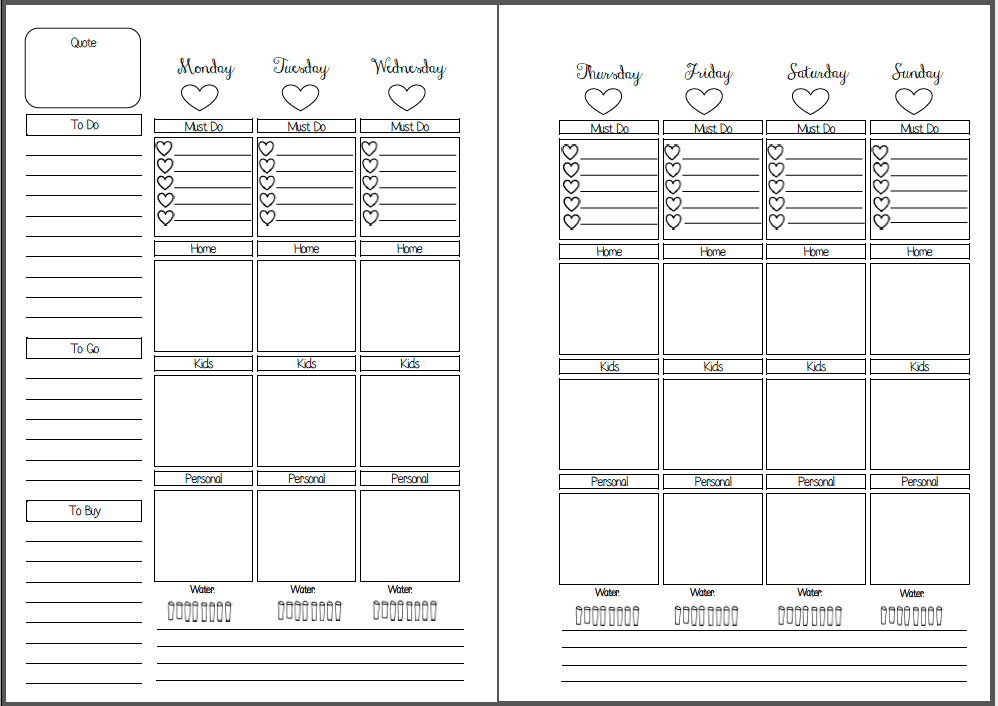
3. Vertical wo2p. I chose here an other format without time, here you have sections for the day. You can find from this format in very very different variations! But. This is not really a calendar! Here you don't have place for appointments! But you can use such format as an addition to the monthly calendar as a weekly planning page. Yes-yes, calendar and planner pages starting to mixing with each other. No problem, you only have to keep in your mind: what is what.
4. The simplest is if you have only the days here, like here:
wo2p horizontal from Filofax
This layout don't give you too much clue where to write what. By this inserts can you also find where you have the same place for all days, or less space for the weekends.
5. Horizontal wo2p with some structure. You might write your appointments to one column, and the tasks to the other.
Weekly calendar/planner from Plannerfun
You can download this insert from Plannerfun for free.
6. I really like this insert from Filofax Clipbook. Here you have all the days in one side, and 3 columns on the right, where you can add sections, what you want. I used this before for menu planning, social media planning and for misc tasks.
7. If you don't have too much to write (I can't imagine this! :)), you might need only one page per week, like this:
9. 5 days on one side, weekend on the other side (this is my own insert, not available yet). I like this format, because I can keep my daily insert always on the right side, and I can see all of my working days at the same time.
10. I have seen a wo4p insert in vertical format, with 5 days plus a task list on two page, and on the next page was the weekend, plus maybe notes, unfortunately I don't find it. It was maybe on Facebook or Instagram?
I would be happy to read in my Facebook group, what you chose and why?
If you have any questions, please do not hesitate to ask in comment! Share your experiments in our Facebook group, and get more help!
As we finished with the basics, we can move on, and adapt your system to your needs. First: calendar. If you have not too much appointments, monthly calendar can be enough. If you need more, use weekly also. Or only weekly. If you want more together, you might want a yearly insert for wider perspective (for holidays, travels), or even more, there is also 5 year overview! Let's see first the opportunities for the monthly calendar.
Monthly calendar
Monthly calendar has small space for the days, so if you have tons of appointments it can be small for you (another question, what size of planner you use...). But I never met before someone who would have so much. Why is a monthly calendar worthy? You can see at a glance your month. How much things you have in days next to each other? What deadlines? Holidays, etc. I use the monthly calendar for organizing my appointments, I write everything here what I know about the future, school stuff, doctor appointments, holiday, etc. In weekly layout come only copies from this. Because you have not too much space you might use shortcuts, as stickers, letters. You don't have to write here everything, find a place where you keep the connected informations, and mark those appointments somehow (I use a +), where are additional informations (like where, what to bring, what's the name of the doctor). If you use color coded stickers, or drawings for repeating things, you don't have to write anything. Like: paydays, swim course, cleaning...
I keep maybe a year of the monthlies in my planner.
Format:
1. mostly used the mo2p, this is what I also like (see mine above).
2. Filofax has this format, also month on two pages, what I do not prefer, because the visual clue is not too strong when weekend is.
3. Mo1p - you can find a lot on the internet, but you have less space to write. This one from Philofaxy:
4. Horizontal version from Filofax, here you have place also for planning, or note taking:
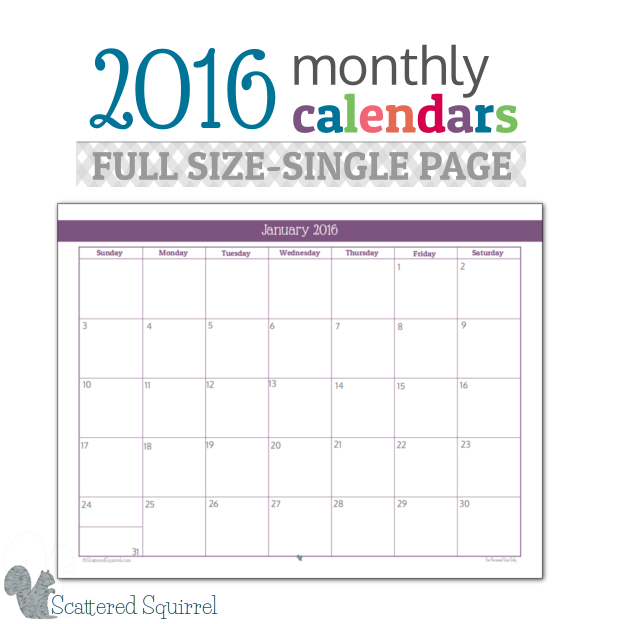
5. Horizontal mo1p is a good choice, if the rings disturb you. - example from Scattered Squirrel
Week start?
Not too much to talk about: decide, what works for you, Sunday or Monday.
Homework for next week
Think about if you need a monthly calendar or not? What format would be best for you? Maybe download some free versions for the internet in different formats and use it for the next couple of month to see, which one you like.
(You can download a lot different format from Philofaxy Blog.)
Planner is a planner, what an idiot question is what is planner peace? Why is not enough to have a planner? Whatever planner? Or calendar. No No No! It matters, what you have!
- finding the right size, what works for me
- finding the right inserts, what works for me
- finding the right binding - I thing, this one is done: ring binders are the best for me
- finding the right binder - what works for me.
- deciding what to keep in the planner.
Do you see? "what works for me". I write again. What works for me. Not what I like. Functionality is the first on the row!
Why I don't know what I want?
Good question - maybe because there are conflicting needs. I have already written about my preferences here. Size: A5 is too big, personal is too small - I have make a decision, what is more important: portability or enough writing space? Both is functionality question. In this moment is A5 winning. Inserts: What weekly format is working the best? How I can achieve to see together what I want see at the same time?If I see more at the same time, than I have smaller space (for a day or something else). If I want more space, I won't see something I wanted. I need a 100 dimension planner, hihi :D Here again: find the best compromise! Binding: Stitched or glued need less space. But it is not customizable. This is very important for me, so: ring binder. Binder: Ok, it has to be nice, but this aspect can be never the first. If it has pocket gives the binder bulkier. But to having place for storing stickers, etc. What to keep in the binder and how to organize? This is again: I want to keep here everything, but it is not possible. If I have too much in the planner, I might not find what I search, I might don't want to bring with me, because it is too heavy. How to organize? Keeping the monthlies/weeklies/dailies separate? Or somehow together? How? (Back to inserts question). Keeping planning and calendar pages together or separate? How to organize all the other stuff? What sections to have? They are hard questions!
I hope you can understand now, why I don't find my planner peace so easily!
As every family, we have also usual meals. But sometimes we forget them. We also have recipe book - what is hard to use.
When I wanted to try out a personal size planner, I bought a cheap used Filofax Domino, then I moved out to another planner, and this one stand on the shelf. Why couldn't be this one my recipe book combined with menu planner?
Purple Filofax Domino, personal size
Recipe book
I placed a-z dividers to the planner and I place recipes in this order.
No categories, only first letter. I think this way is simpler to find the right one.
Menu planner
This is more interesting! I have here month on two pages "calendar".
Page marker of course kitchen themed :)
And some laminated craft paper, with the names of the dishes. Here I use categories: the color of the flags means: meal, sweet, soup, vegetarian, etc. The dashboards are: quick dishes, complicated dishes, desserts, etc.
Quick dishes for workdays
Time consuming recipes for the weekends
And we have also a wishlist dashboard, all family member can move here a flag he/she want to eat. It makes me also simpler to choose, first I go here! At Friday I plan for the whole next week and write a shopping list. I have some rules, what also helps, like we eat noodle on Wednesday, we eat chicken at Thursday... I leave the flags on their place for a month or longer for we eat variously enough.
I didn't found the perfect time management system for myself, I'm always working on it. On my goals list is one goal: more balance between family and work, now I'm trying to thinking in time blocks. Working from home is not simple, if you (and your family) cannot separate the two things. So I created a new insert for myself, where I can better blocking the different activities.
This is for today:
How it works:
As you can see it is not perfect yet, I have 7 tasks for top 5, I have to correct it. And I got the idea too, that I will add glasses but not horizontally as usual but near to the hours.
Free printable: post it template
I share with you the post it template, what I'm using now on my daily page.
Click on the picture to download it. Please write me, if you have problem with download, this is my very first Dropbox upload!
And please share me, how do you use it! I'm also happy for sharing your pictures here in the blog (send me to: zsuzsa@softrainbow.ch).
Starting a planner system is not too simple. You can learn from others, how they do, but you have to find your way. When you start you might don't know, what you want. If you wait for the perfect inserts and system, you won't be never start.
You don't have to be perfect!
Use what you have, and try out more things
Starting is the most important!
Here I tried out a new layout, because I wasn't happy with my daily planning layout. This is also not so good for me.
You want to start a to-do list? But you didn't have any by your hand? Use notepaper for it.
My "Tutorial ideas" in my blog planner. Not too sophisticated. But I wanted to write it down. If I would looking for the perfect blog planner, or creating my own, I might forget all.
Dividers
I didn't made dividers for this sections (yet). I used, what I had, and wrote on a washi tape the name of the section. I will make it later.
Until you are not sure what sections you want, make no final dividers! This is my projects planner - I'm working on the setup yet. It seems chaotic, or not?
If you don't have divider by hand, use a notepaper and a tab. If you don't have a tab, use a flag or post it.
Make drafts
Before I worked out how I will my yearly plan, I made this drawing on simple Filofax notepaper.
Be eco
A fals printing, a little bit smaller as has to be. But why should I throwing off? I use it.
If I don't used both side of an insert, I save it for later for making notes.
Lets do it
I planned to make nice stickers with the weeks for a long time. I didn't had time for it. It is better to writing on a not so nice post it, as not doing it.
Stop to looking after the perfect system, just start your not-perfect!