Showing posts with label monthly. Show all posts

6.12.2016

Changes - personal again

I realised that I won't never arrive to the so called "planner peace". For me is planner peace that I can play with them. Trying out new layouts, setups, combinations of planners. I have ADHD, what wants me to be there where I'm not. So changing is time (and money) consuming, but changing always something makes me using my planners. I think, if I would stay on the same system I would hate the thing. I wrote already about this, in my heart I want just live without any planning. It is just not working. So I have add something extra - I keep my eyes open, searching new ideas, new planners, designing new inserts, stickers, dividers.
And what happened now? You might know: 1. I told - I'm an A5 girl, I don't like personal size. It is complicated, you have cut paper, and have not enough room on the paper... 2. I have 2 A5 Maldens. I love Maldens. But I'm not crazy for these two colors (purple and ochre), I always wanted something else.
In spring I heared about two new Malden colors, and I said: yes, they are lot more nicer! I watch a lot Filofax videos, and the personal Malden is more beautiful, as the A5. A5 is a biiiig monster :) First I said, hey, I don't need a new one (and not for that money!). But it is time to think on it, the new colors will be released in summer. Marketing works, what you cannot get, you want. And yesterday I ordered the Kingfisher Blue - personal size. Hey, you! Personal size, you don't like it! But I love, how this planner looks. And tried out last week some inserts for it.

Picture from John Lewis webshop

What I learned in the last year: I don't have to have everything in the same binder. What the worst was in personal, the mo2p insert. But do I need that in my personal size? Why not keep the A5 with a lot informations. And use a little bit other the personal size? Do1p - I don't like it, because I need schedule, task list plus place for notes - it is too much for a page, I want do2p. But do2p is too much for A5 - a good excuse for a personal do2p :D
The plan is (I also started to make it): Most of the personal planning, and informations stay in A5. In personal I won't keep appointments, just work planning. I printed out mo1p horizontal for an overview on what day I do what. I washi taped them to an other page to get a fold out, so when I plan my week I can see it.


Then wo2p, on the left side vertical, on the other notes - I keep here additional tasks I might want to do on the week, or notes. On this weekly I don't have any appointments, just work tasks. I keep my appointments in my mo2p calendar, plus Google calendar - and I copy them to my daily schedule.


I insert in between the do2p insert - first page schedule, tasks, second for notes (what is not ideal, because I have to turn, when I want to take notes, but this way I can see my week.


That is planning, than notepaper, meeting notes (I'm always searching, where I took notes, when I talked with someone - nothing fancy just notepaper, but it gets a section.) Lists. This is stupid, I now because I have Todoist, and I have these things there too. But I have to write lists with my hands... :D
I'm hesitating to add an info section to the end with a few very important stuff.
And this way what will be with my pocket size? I have no idea, but it seems to be not needed. Never mind, I will find maybe in a year an other combination, where I will use that again :)

Read more…

10.07.2015

How to build your perfect planner system? Week 18: Calendar combinations and more about the dailies

Last two weeks I wrote about monthly and weekly calendars, today we arrived to the daily insert. Until now I was asking you to use daily pages, but from now on you can decide if you need it or not. It depends on, what other calendars you use.

I can imagine some combinations...

- Do you have only a few appointments and time related tasks? Use monthly calendar to write your appointments and one or more running tasks list.
- Do you have a lot of appointments and not too much time related tasks? Use only weekly calendar and write here all appointments and your time related tasks. Have some tasks list for not time related tasks.
- Do you have only a few appointments but you need detailed daily task list? You might need monthly calendar for appointments and daily dockets for daily planning.
- You might like to see the big picture in the monthly calendar, more details in your weekly and also need more place for daily planning. Use them all!

How to organize those calendars?

There are two options here: 
1. Have a section for all type: monthlies, weeklies, dailies. This is the common way. Most of calendar you buy in print contains the months, weeks after each other's back.
2. In time. You might find some monthly calendar, which is printed on 4 pages, something on the first and last side, and in the middle is the calendar itself. In this case you can place your weekly, daily inserts between two monthly insert. I like this way much better, this is how I organize my planner. If you don't buy inserts you can also make yourself that's way.
Where to put the dailies? By 2/4 pages per week, I have no better idea, only between the two half of the week. But if you have your all week on one page, and the other is for notes, you can place it after that page.
What if you don't need a daily insert every day, but sometimes it would be good? You can stick a post it to your weekly calendar, and plan there your day. Or a notepaper. Or take an undated daily insert. Keep some from them in your planner, just be by your hand if you need one. 

I think, I already wrote this, but here I want mention again: keep couple month monthlies before and after the current month (I like to keep a whole year for the future, but I didn't printed yet for the next year... I should, shouldn't I? :)) Keep couple of weeklies (3-4 is enough I think), and only 1, maximum 2 week dailies in your planner. It makes no sense to make it too heavy. I remove Sundays always the whole week.

You can take a look into my current system:


Daily inserts

Ok, let's say, you need them. If not, you can wait to the next week's post! do1p or do2p? If you have lot to write, or you have a smaller planner, you might need two pages per day. You might use one side for concrete planning: schedule, tasks lists. And the other side for note taking, doodle, decorating, tasks has to tracked, writing journal, shopping list, keeping post it notes for running to do list, etc. I recommend if you are right handed, keep the planning side on the right and the notes on the left, and if you are left handed, than mirrored. If you have a bigger planner, or you don't want to write too much, you can take a do1p insert. A little trick: if you want to write on this always on the right (left) side, punch the other side too, and flip it over for the next day!
What you need to write on the daily page? I showed you a lot different options before.

Homework

What calendars do you need? How you want to organize them? Reorganize your planner this way! Think about it: do you need a daily page? What do you need on that page? Find/make yourself the perfect daily planner page!

--------------------------------------------------------------------------------------------------------------------

If you have any questions, please do not hesitate to ask in comment! Share your experiments in our Facebook group, and get more help!  

Find here the whole series.

Subscribe to our mailing list

* indicates required

Read more…

9.22.2015

How to build your perfect planner system? Week 16: Which calendar to use and which monthly format?

As we finished with the basics, we can move on, and adapt your system to your needs. First: calendar. If you have not too much appointments, monthly calendar can be enough. If you need more, use weekly also. Or only weekly. If you want more together, you might want a yearly insert for wider perspective (for holidays, travels), or even more, there is also 5 year overview! Let's see first the opportunities for the monthly calendar.

Monthly calendar

Monthly calendar has small space for the days, so if you have tons of appointments it can be small for you (another question, what size of planner you use...). But I never met before someone who would have so much. Why is a monthly calendar worthy? You can see at a glance your month. How much things you have in days next to each other? What deadlines? Holidays, etc. I use the monthly calendar for organizing my appointments, I write everything here what I know about the future, school stuff, doctor appointments, holiday, etc. In weekly layout come only copies from this. Because you have not too much space you might use shortcuts, as stickers, letters. You don't have to write here everything, find a place where you keep the connected informations, and mark those appointments somehow (I use a +), where are additional informations (like where, what to bring, what's the name of the doctor). If you use color coded stickers, or drawings for repeating things, you don't have to write anything. Like: paydays, swim course, cleaning...


I keep maybe a year of the monthlies in my planner.

Format:

1. mostly used the mo2p, this is what I also like (see mine above).
2. Filofax has this format, also month on two pages, what I do not prefer, because the visual clue is not too strong when weekend is.
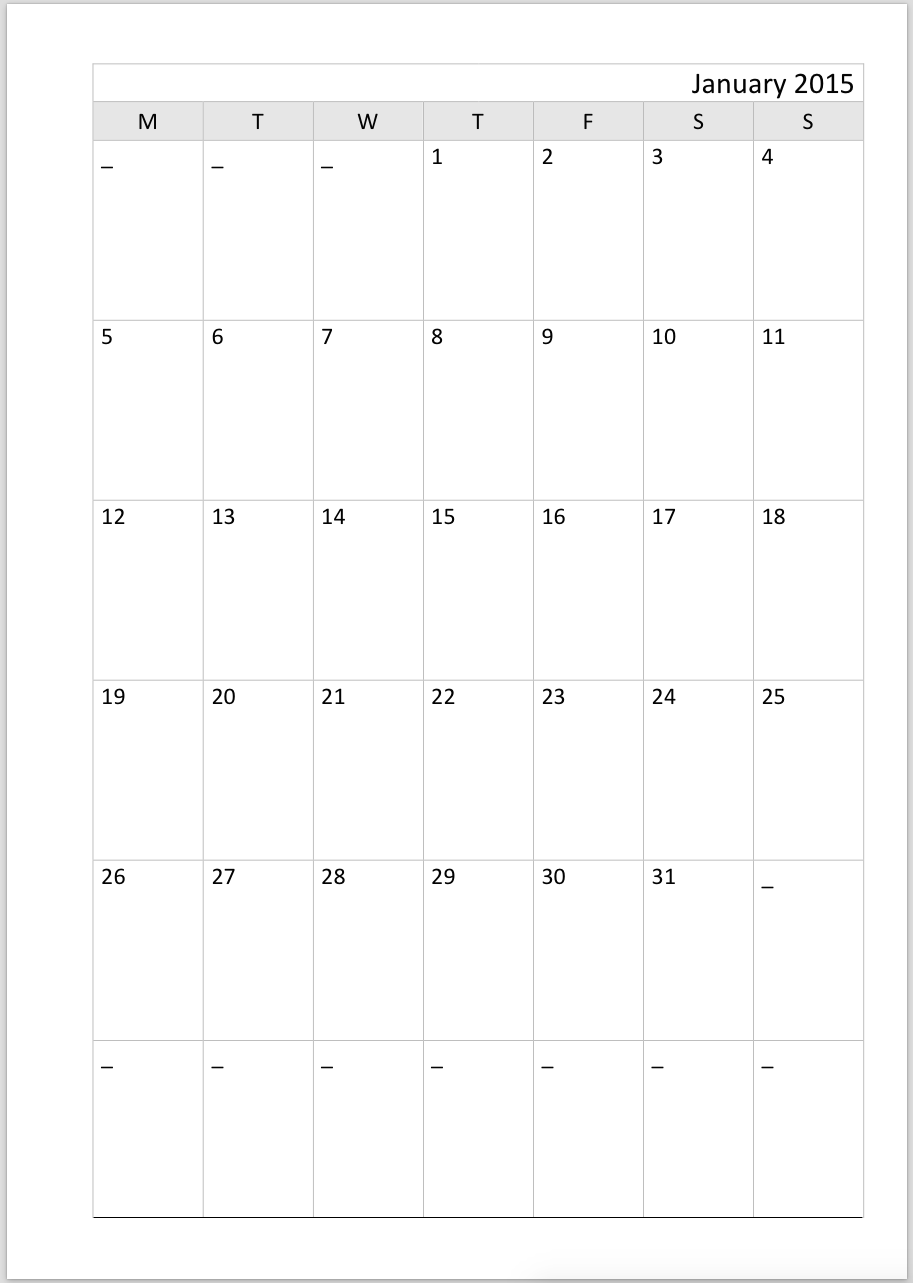
3. Mo1p - you can find a lot on the internet, but you have less space to write. This one from Philofaxy:

Source: http://philofaxy.com with permission

4. Horizontal version from Filofax, here you have place also for planning, or note taking:
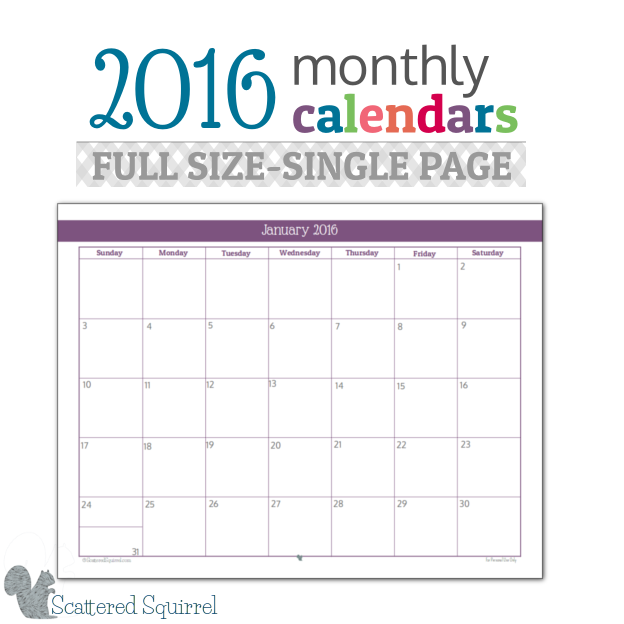
5. Horizontal mo1p is a good choice, if the rings disturb you. - example from Scattered Squirrel


Week start?

Not too much to talk about: decide, what works for you, Sunday or Monday.

Homework for next week

Think about if you need a monthly calendar or not? What format would be best for you? Maybe download some free versions for the internet in different formats and use it for the next couple of month to see, which one you like.
(You can download a lot different format from Philofaxy Blog.)

Next week I will write about weekly calendars.

------------------------------------------------------------------------------------------------------------------------

If you have any questions, please do not hesitate to ask in comment! Share your experiments in our Facebook group, and get more help!  

Find here the whole series.

Subscribe to our mailing list

* indicates required

Read more…

9.01.2015

How to build your perfect planner system? Week 13: First monthly review

One month is gone after you wrote your first monthly plan. The question is now, what happened? Did you finished everything what you wanted? Did life changed? Had you have to changed something? Could you predicted what you can finish in a month?

What is a monthly review?

It will take 1-2 hours, please schedule time for it! You have to revise everything: your yearly plan, your goals, projects, last month, changes in your life.

Steps of monthly review

1. Clean up your inbox

Hopefully there is not too much things here :) As a reminder, here is how to do it.

2. Make a frame for your upcoming month

Take a look into your monthly calendar: what will be happening in the near future? How much appointments do you have already scheduled? Are you planning vacation? How much responsibility do you have? Start to write to your monthly plan tasks/projects you must/want finish - related the calendar items. Deadline: it connects surely to a project. Birthday: Do you have to buy present? Do you have to organize something? 

3. Revise your goals

Are your goals still actual? If not, rewrite them! Write tasks to the monthly planner connected to your goals.

4. Revise your yearly plan

You could have adjust it, if you should make changes in your goals, if you hadn't predicted what you can do in a month and you didn't finished something or something came up. Write the tasks for this month from the yearly plan to the monthly.

5. Review your projects

Actualize your projects list, you might finished some in the last month, or created some new one. Go through the project pages: check if you marked all finished tasks, steps, if not, do it no. Actualize your task lists. Decide on which project you will work in the next month.

5. Last month

Review the last monthly plan: have you finished everything? What not, is still actual? If yes, plan it for the next month.

6. Write in your recurring tasks

It worth to create a list for things happens/has to do every month. I have to pay bills every last week of the month. I make the same promotion on the first week of the month. Presumably you have also similar things.

7. Make the plan!

I highly recommend to portion out them to the weeks, as I showed in the monthly plan post. But of course, you can make a simple list also. Or thematic. 
Homework for the next week
Make your first monthly review. Please share with us your plan in the From Chaos to Order Facebook group!


If you have any questions, please do not hesitate to ask in comment! Share your experiments in our Facebook group, and get more help!  

Find here the whole series.

Subscribe to our mailing list

* indicates required

Read more…

8.06.2015

My ideal planner would be...

I think it doesn't exist.
Lets see what I want, and what planner gives me that.

1. Monthly calendar

It has to be big enough. I'm visual, I love to use my stickers to see what's going on. I got this feature perfectly in the Happy Planner. I think A5 Filo would be also enough, I never tried. In personal, too small, hate it.

2. Weekly calendar

I prefer now the vertical layout, but I'm not sure in that, maybe what horisontal I used hasn't enough structure, and that's why I made it chaotic. In A5 Filofax was too much lines on horizontal, and for me was not enough wide by a day to write in. Happy Planner give me the size. Personal size: too small.

3. Monthly planning

It's ok by any planner I used before, I can add my planner pages in any size. I want to see the big rocks, and having place to distribute them to the weeks. It's ok to having it separate from the other stuff, I take a look on it once a week.

4. Weekly planning

I want to see it somehow together but separated from the weekly calendar. I want it together but separated from the daily planning. In Happy Planner it's not perfect. Projects listed on the left column, but I don't have enough space for all todo-s I want to listing. So I added a list paper in the middle, what is disturbing, I would like to see the whole week at a glance. It is the same thing with the page marker. How could I have the page marker and the todo list make at the same time visible and invisible? :D I don't want to flip to my todo list. I want to keep it at the week - see? It seems to be impossible. But I write here, who knows, you can give me a good idea! In personal I had enough place, and made a fold out, what was not bad, but also not good. Somehow I didn't checked the list, I don't know why. It wasn't simple to write on it.

5. Daily planning

I want to keep it together with my weekly planning and calendar. Mission impossible (or I didn't found the way). When I have do2p in personal I felt it so separate, I have seen only that day. But what I do today is influenced what I will have tomorrow...
What I need here: place for time schedule, visual! To do list, notes. But I don't want to copy events always from the weekly calendar, it is wasting time. I don't want to write tasks to the schedule, but I hate leave unused space on the schedule it is paper wasting. I need different amount of space every day for notes. When I had do2p in personal size, I often left the whole note page clear. Wasting paper and place in my planner. I need something more flexible. No idea.
Size: personal was for daily's perfect, A5 was too much, also do1p, in Happy Planner: no way a whole page for a day, would be crazy. I'm experimenting now, how to use the weekly layout for daily planning too. I would be happy for pictures in my Facebook group how everyone use a system similar to Happy Planner. Not nice decorated ones, they distracts my attention. Functional ones. I'm hesitating to create Chronodex stickers for the schedule, they would be left me enough space for planning, but it might be too small. Notes aren't solved in Happy Planner. Maybe Post its. But where to keep them?

6. Notes, infos, tracking

Is not a big deal, I can solve it in any planner.

7. Size

I want to keep all stuff together. What exactly? Minimum my calendar to bring with me, giving the opportunity to make appointments. Have place to take notes, and some very important informations always with me (as insurance numbers). I used for a while for this reason my Filofax Pennybridge as a wallet plus monthly, weekly calendars and note papers. But I didn't liked to have that separate my "planner planner" :D So adding to the minimum: weekly, monthly planning and more infos, tracking items. I make lot of notes and I love to keep lot of informations with me. What makes my planner bulky. That's why I bought the Kikki K medium, which has 30mm rings. Too bulky. Why have all planners soooo bulky covers??? Paper is already enough bulky. Plus point to the Happy Planner: no cover only that laminated paper. If I could solve everything in the personal size - or pocket... hmmmm, I would be so happy! The Happy Planner is too big always to bring with me! Also the A5 Filofax - it seems to be bigger because of the cover. I might try again the Domino... It has no pockets.

8. Bound

I love much more the rings as the disks! I'm thinking sometimes about the Traveller's Notebook, but that I can't give anywhere an extra sheet held me back. Plus it is also small, isn't it? And laying flat is a must. I keep my planner always open next to me.

Conclusion

I think, I covered all things here.
My ideal planner would be a Filofax Finsbury Pocket,
which can keep a lot of paper without turning too bulky
with a Happy Planner size monthly planner
with some magic a big weekly and daily view together.

OK. If you see somewhere my ideal planner do not hesitate to share with me! :D

Read more…

7.28.2015

How to build your perfect planner system? Week 8: Monthly planning

Did you finished the exercise from last time? We will not continue with that this week, because it's time to make the first monthly plan. But we will work on goals next time.

What to do?

I don't need to say too much, you should know quite well what planning means. Take a piece of paper and your monthly calendar (or weekly, if you have only that).


Take a look into it, what you have up to? Trips? Deadlines? That will give you the frame in you can plan. Start listing the running projects you want to working on the next month. Think about those things you have to do every month. When? If you have deadlines in that month, what do you need to finish? To the projects/tasks have deadline it worth to write the deadline too. After this mixed list, prepare 4-5 part on your paper for 4-5 weeks. It's depends on how you want to think on a month. I don't like to plan for 1-30(31) days of a month, I plan for whole weeks. My August starts on 3th. Where to place half weeks? Decide! So, for August I have only 4 weeks. I wrote to the weeks some important things I have to remember - only that what influences how much time I will have to deal with my stuff. Like: trips, important events (school starts!). Now portion out to the weeks your task taking into account your framing events. Do not plan too much if you will be away from home... 


This skeleton will help a lot by the weekly plans!

Homework for next week

Make your monthly plan for the next month. Try to stay realistic! I would be happy to see your plans in the From Chaos to Order Facebook group! Keep planning the week and the days too.

Next week we will continue with the goals.

If you have any questions, please do not hesitate to ask in comment! Share your experiments in our Facebook group, and get more help!  

Find here the whole series.

Subscribe to our mailing list

* indicates required

Read more…

5.25.2015

Free printable: monthly dividers to the 17 folders system


I hope, you have seen my new video(s) about the 17 dividers system. If not, watch it here!

Part 1


Part 2


I share with you now the dividers, what I created. Click on the picture to download!


How to use?

When your printer can print borderless, you can print the pages to A5 paper, but if not, choose A4. Print page 13 - if you wish on the other side. Print the labels too (page 14), cut them. Fold in half, and stick on the dividers. I recommend to laminate them, or use some thicker paper.

Read more…

2.02.2015

My February plans

This will be not an efficient month. In the first two weeks are holiday in the school. My little one is at home this week, and the other two are in ski camp. It means, I have to cook every day, and of course, I cannot work as much as usual, if I have a 6 year old at home. Next week we will going to skating every day.

Thats why I planned only a few things for this month. I have some monthly routine for the first and second week (promotion, paying bills). I plan writing a pattern for some weeks already, I have on my weekly plan it yet, but as you can see, I didn't planed it for a day. It might have to skip again... Other things are most important.
My weekly plan looks not too busy...


But if I start to collect every little things together, my daily plan is full:


I use color coding for the different things: pink is work, orange is family, blue is me.
I also use numbers for the tasks, it is useful if they are little things. Take a look on number 2: they are tasks can do in couple of minutes. I reserved for them all an hour. I have a weekly task list too, with such to do-s, which I can do whenever I want.
Little flags are to keep my extra attention. On the orange is "hang out clothes" - I'm tending to forget my washing... By calls the yellow one reminds me, that I'm waiting for a call back. Tomorrow I can replace this flag for the next Daily Planner page. As I see, I have almost done everything.

What is your plan for the month/week?

Happy planning!

Read more…

1.26.2015

The 17 dividers

Do you know the a 43 folders system? You have one for all month and 31 for the days. I don't want folders. And 43 divider? No way. If I plan, is enough for me to know, which week I want to work on one project.

This is my solution
One divider for every month. I bought monthly sticky markers for them.


In one of my Filofax were numbered dividers. I use from them the 1-5 for weeks 1-5 in every month.
(Find a tutorial about creating the pockets here.)


How it works?
Actual month is the first, with the 5 weekly divider. The divider has a pocket to store little scraps of paper. Where I have repetitive tasks, I wrote it here. 

 bills to pay in every month comes to second week

If I get something, I will need later, I put to that month, if it is the current month, to that week. Think about reminders from school, invites for party. 

Email for holiday course of my daughter (goes to February)

As I make my plan, I put the project planner pages also here. Why is that good? You will find such things as bought concert tickets month before. If you get and idea for the next christmas, make a "Christmas project planner" page, and put to December. Or to November, if you have to do before! If you use a folded page, you can fold into every page that has something to do with it. Ideas for gifts, receipts, eg.
You may want also put after every month divider a to do list, for miscellaneous ideas, to dos.

I have a post it now on April divider with a deadline.

Sometimes I have to wait for something. I write on the page, until when? And I place that project to that time. I send sometimes submissions to magazines with pattern ideas. As I sent it, I write it on, and the expected datum for feedback. Then I place it to that time. If it it over, probably it is not accepted. I know how much longer they send my submission back, I write that time also on the project page, and the whole packet moves on. If that time has come and I didn't got that back, I can write an e-mail, if I got it  back, I can archive the project. If that is accepted, I will be told when I have to knit the sample and write the pattern. I can then build it to my plan.


Read more…