Showing posts with label calendar. Show all posts

5.21.2016

How work together my paper planners and Google Calendar with my apps?

If you didn't read my last post about how I use Todoist and Evernote - do it now first!
While the apps help keep me on track, with automation, reminders, quick collecting, I also need for planning the paper and pen. When I use them, I think differently, more deeply.
The whole planning system is like a zooming process.

Year

The farthest picture is the year for me.
I filled out the Powersheets - what helped me to crystallize my goals. But I don't really use the monthly sheets, I just read my goals through every months.
For my work I made a yearly plan (you can take a look on it in this video, by about 8 minutes). Both are written.

Month

I made a separate monthly calendar booklet for myself for the year. At the beginning I wasn't sure, if it is a good idea, but I needed more ring space, so monthlys has to be removed. I'm very satisfied with this solution. (For next year - advice for myself: use thicker paper! :)) This calendar is, where every time related things arrive. It lives in my main planner's pocket. I synchronize this with the calendar in my pocket - but only those things are going to my pocket what can influence appointments - "give pocket money for kids" is in A5 but not in pocket. When I'm on the go I bring only the pocket with me. If I have to make an appointment in my pocket, I don't write it on paper (I would forget to copy), I write it on little post it note, and that stays there until I didn't copied (I have a task in my daily review "check pocket".)
For work I have also monthly calendars, where I write deadlines, and plan out on what day on what big thing I will concentrate.


Week

When I do my weekly review, I copy all events to the Google Calendar, because I need reminders. Every new item in Google Calendar goes automatically to Todoist (with IFTTT), so I can see them in more place (sure, what sure). 

Day

The daily focus from the monthly plan goes to the daily page - what I also need to write. Even if I have my little tasks from Todoist... I copy my tasks from Todoist to my daily page! Not all, but most of them. I need to plan out, in which hour I do what. (Not too detailed, but like "daily routine", "write xy pattern", "phone calls", "little things".


It might be a little chaotic... A little summary:
Tasks are collected in Todoist. They are scheduled there according to paper planning. Tasks are copied to paper planner (daily pages).
Other stuff are going to Evernote. (Templates, routines, archive, supporting materials, project infos - no tasks! Pending items)
Appointments are going on paper planner, and are copied to Google Calendar.
Time-related items (my kids have today a sport competition - when, where, what they have to have.... - are going as a photo into Todoist [TICKLER] "project". 
All real planning happens on paper. Almost all information keeping happens on computer.

Read more…

4.06.2016

How pocket size works for me and why?

If you are with me for a long time, you know, I tried personal size, and I found it too small. And now I use a pocket size Filofax. How???


Filofax on the go

My first try to have a separate Filofax for on the go was the Compact size Pennybridge, what I use as a wallet. The idea was not to bring the A5 with me, but having the possibility to make appointments, have important informations by hand, taking notes, writing on to dos, when it falls into my mind. I had here monthly calendar, once also weekly, and todo lists, and note paper, but it doesn't worked. Why? I never took out it from my bag. It would be very risky - In might let it home... So - I wrote a task in that or a not, when I was far from home? Never read it again. I just brought my A5 with me - just in case.

The difference with the pocket

Wallet stays in my bag. But the pocket not! I take out. I bring the pocket with me - to the couch, to the bed, to the table, or when I leave the flat. It's small, it is so simple to take with me everywhere!

How it's calendar works with other planners together?

The pocket is not a planning tool. This is a capturing and storing tool. I have a monthly calendar here.


I write condensed only those thing here, what can influence any appointment I should organize. You can ask me - you wrote before, you can have only one calendar or that will be a mess. I have the solution. The Calendar which knows everything is an A5 booklet. Principle I organize here everything. But out of the house it is not with me. If I make a new appointment in the pocket, I don't write it on the paper, I write it on a small post it note. In my daily routine I have an item: "the red Filo" - means, I have to check, if I have a new appointment, note, to do, etc, and copy it for the right place. The post it note gives me a clue, that I have to copy that appointment. At the same time I can synchronize also in other direction too.

Daily notes

I got these inserts from someone in FB for free! I'm so happy. I didn't wanted to pay for daily inserts too much, because I didn't know, if I will use them? The answer is, yes! I use. Not as a task list, but a sort of journaling. I write in some words, what I did on the day. Not feelings, they are going to my real journal :)

Other stuff

Notes

I jot down everything here, ideas, learned stuff, tasks. I keep here a page markers, that I can reach the first clean page quickly.

Knitting

I made an insert for this. I take notes belonging to the project.


I tried keeping knitting notes on a planner before - it doesn't worked, because I kept designing notes, tasks for the designing process also here, and I never knew, where the planner is. At my knitting? On the desk? I'm lazy to search. But keeping designing stuff and other notes separate works really well! And if I need a note for the pattern - no problem, the little pocket is always with me.

Lists

I didn't liked keeping lists in an A5 binder, while I think it is wasting paper. The pocket size is ideal for lists - the pages are (almost) filled out.


A-Z section

I love A-Z sections, but I took it out from the A5 - for free out ring space. Here I have enough space (yet) for this bunch of dividers. I want to copy addresses here, and other good to know stuff, like passwords (not sensitive once), insurance numbers, "contact" infos - I don't know how to call this, by GTD is called contacts, they are pages for people with stuff I want to discuss, when we meet, what he/she told, etc. It can be a friend, a doctor also. Until now I have these here, but I know I will find other very important stuff to bring with me :D


Some extras

Stickers for headers

Sticky notes
White/black/gray cards for photoshoots

So this way I can let the A5 at home and I have every informations with me, what I need.

Read more…

1.05.2016

Preparing myself for 2016


I don’t write too much, because we are were visiting friends, family, I’m were never alone! It’s amazing and horrible in the same time :) I got my Agendio planner in PDF in email (as a reward for sharing it), and I want to try it out. Even if I decided before to go with monthly and daily pages only. The advantage of having my weekly/monthly routines printed out is huge. 


Having both monthlies and weeklies is not a good option, as I found (too much copying), I needed to remove the monthlies, and making place for my weeklies. I took a deep breath, and removed the a-z dividers also (lot of width), and left only the most important-always have to be with me- type infos in the planner. I will place the rest (they are also very important :P) in an other planner, which will be stay at home. Now I have a Barbie-thin planner :D


I can’t wait to get home and print my weeklies! (Ok, done.) What is left?

The new 2016 main planner setup

1. Landing section

Flyleaf with sticky notes, Inbox, and note papers after the inbox.


2. Tasks 

Lot of master to do lists of creative, declutter, home, etc stuff. (I should do them one day.)


3. Ideas

I use the divider as a container, I removed all of the paper after this, because I will store my ideas in an other planner, I need the space here. That's why are they on sticky notes, I can remove them. 


4. Projects

First the index of the projects, than the project pages with page flags.


5. Calendar

As mentioned, I removed the monthlies, I have here my weeks, not on 2 pages but on 4 pages. I keep a daily insert between the two half of the week (as usual, double punched). This way I don't have to copy my schedule to my daily insert.


I designed a new (100. version…) weekly planner, what I can print on the back of the Agendio pages. (See, Agendio, one more argument for selling the planners in digital form!) At the front: weekly planning, but here I will concentrate first on goals and projects, only after than the tasks. I hope, this way won’t be so overwhelming the lot of tasks. (I've forgot to take a pic in use, so a printscreen here :D)


On the last page I have the weekly review, with my usual checklist, and an opportunity for myself to write done, what I did for my goals, that I can concentrate better on my successes instead on not finished tasks.


6. Infos, notes, etc

That's left:

I miss a little bit my monthly pages, I hope I will be happy without them. I filmed also more about this setup, I will publish it in couple of days.

Read more…

11.17.2015

How to organize a Christmas Trip?

Yes, yes, a trip. We are living far away from our birth country. This year Christmas days are in the middle of the school holiday and we decided to travel home at the beginning of the holiday and spending Christmas with the bigger family.

1. Create a project page

As so often I was lazy to print out a "real" project planner insert, I just took a notepaper. To write things done.

2. Brainstorming, and decision making

The first step was before the decision, here you can see our brainstorming. We have family meetings every weekend, when we can discuss all family related stuff. We listed here every ideas, what we can do (like: we don't travel home, we celebrate Christmas here, then we travel, etc.), what is the positiv and negativ side of this, then we voted.

3. What we have to organize here?

- Who we want to meet?
- What we want to make?
- When where with/by whom?
- Christmas gifts

4. Than come the tasks

- Create a list about who you want to buy a gift
- Ideas about gifts
- Buy the gifts


- Create a list, what things we have to take with us to others? 


I started this already in summer, I have a notepaper by all month where I can make misc notes. When I was by my friend I promised here that I will give all of my homeopathic meds, because I don't use them, I wrote that to December.
- Find someone who cares about our rats. (done)
- Write everyone, when we come, and when they have time for us.
- Ask appointment to dentist.
- Create a timeline - when-where. For this I just drawn out the whole school holiday time. I don't think it would be worth to plan this in the "normal" monthly calendar. I will copy the outcome to there. Important note: leave time to pack in and out (and recover :D)! Driving a whole day and going to work next day is not a good choice. 


- Book hotel 
- Packing list - ok it is not so urgent, I can do this on the last week.


As you can see, I didn't written so much tasks here, I just know most of it. And I have the task in my planner: review "Christmas Project", when it is coming, I go to the project page, and find out what else I have to do, and write to the weekly page. 
Most of the gifts are bought, other has to, they are listed to my weekly todo list, and some are not found yet, they will be under thinking at the next review :D

This is, how I organize our trip in December. If you have any question or tip, what else I could do, write me a comment (or you know: write me a comment, only because I want to know, someone is reading! :D)

Read more…

11.10.2015

How to build your perfect planner system? Week 22: Good luck!

I think, I told everything I planned to tell in this series. This last post is about say goodbye :)
It is hard to close a so big and long lasting work, what should I say? The main part I already summarised.

Some miscellaneous thoughts:

- Don't be afraid to start planning, just do it.
- You don't have to have from the first day a perfect system, it will evolve. A wrong system is better than having any.
- You will never have a perfect system, maybe something near. Your needs change, your system has to be adapt.
- I give you advices but my system isn't "ready" yet. I'm working on (OK, I'm an extreme example :)) that constantly.
- Have a calendar and place to take notes. Have a todo list. These are the most important things in your planner.
- Have your planner always with you.
- Write down everything.
- Ask if you need inspiration, how to organize anything. From Chaos to Order Facebook group.

From now on I can go back to most personal things - I wanted also besides this series, but I have energy only for one blogpost in a week. I'm happy if I can write about things also other people are interested, so please write me in comment if you would like to read about something.
I say goodbye from this series with a picture about my actual planners.


Read more…

11.03.2015

How to build your perfect planner system? Week 21: Make your life simpler: routines and checklists

There are in our life so much things what is always the same. Happens on the same time of the week/month/year. Has to do the same thing. If you write them down, you don't have to think about so much. This makes things automatic.

Daily routines

I have a daily routine list since I tried out the FlyLady system. I don't do it any more, but having routines is a great idea!
- You can have a list for all routines somewhere in your planner (I have it by the R divider.) If you can be think on that, you can go every day there, and check, what you have to do. You might need to write to your plan: daily routine.
- Or keep a little card with the tasks by the dailies.
- Or have a sticky note to your day marker, and stick that to your daily, and move it to the next day, if you finished.


- You can have also a weekly chart for the whole week on your weekly spread
- or on your day marker.

Some of mine:

http://srplanner.blogspot.ch/2015/05/page-marker-with-daily-routine.html


Zsuzsa Kiss (@muzsika19) által közzétett fénykép,


- or on a separate insert:
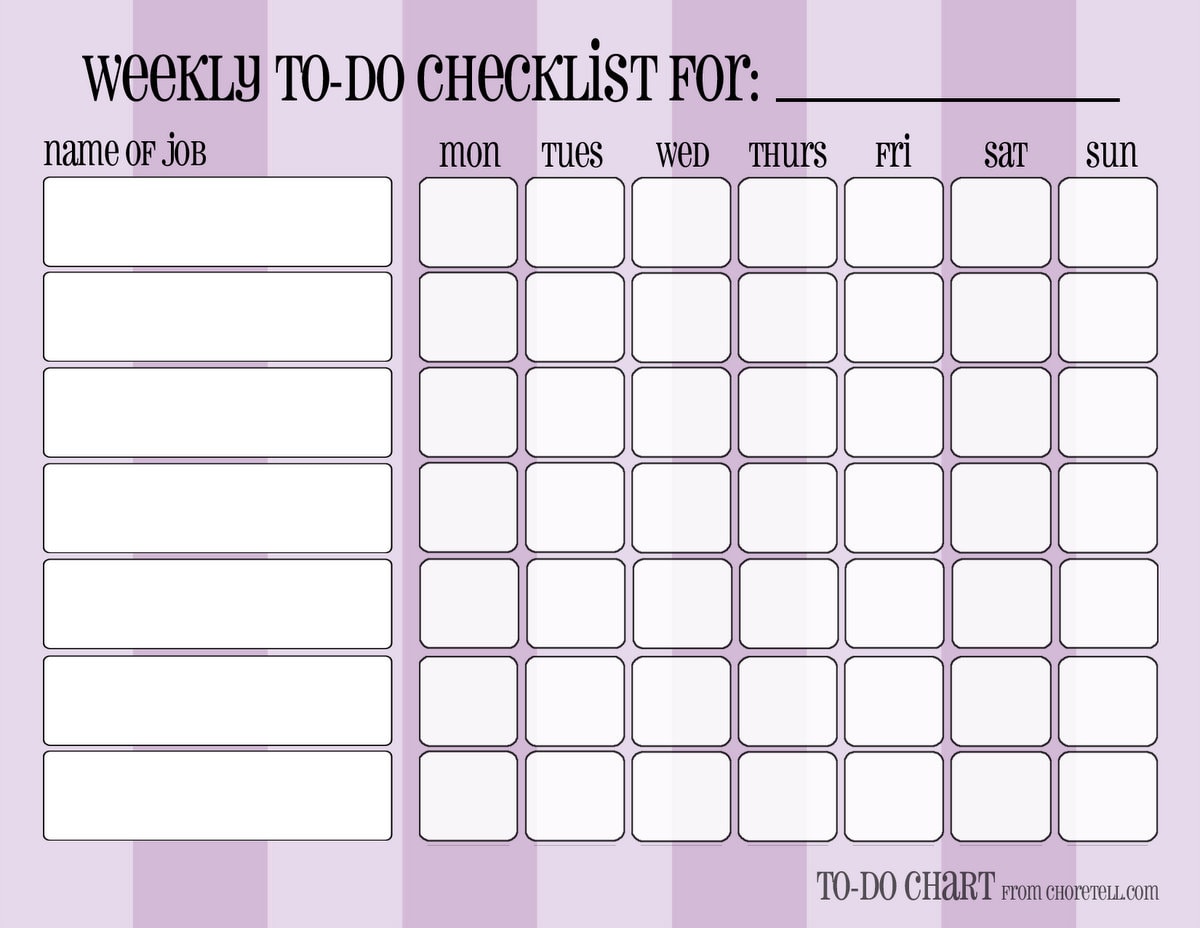
http://choretell.com/kids-5-12/patterned-weekly-to-do-chore-checklists/


So much options!

Weekly routines / repeatedly appointments

- You can have a list by your routines list again. You can go to check it there if you not forget it.
- You can write a reminder to your weekly review checklist: write weekly routine tasks/appointments to the days. (This is, what I do - more writing, but I can't check things on different places :))
- You can write a list with this things on your day marker.
- You can write the repeatedly things on replaceable flags. Move this every week to the next week's pages.

Monthly routines /repeatedly appointments

Same options as by weeklies.

Seasonal/Yearly things

- List again.
- Copy from the list to the place.
- Have an insert/post it for every month: write on this every birthdays/appointments, to do-s you have for this month (like making book keeping, changing clothes for seasons etc.). You can stick the post it to the months, or you can use your insert as a divider.

http://srplanner.blogspot.ch/2015/01/the-17-divider.html

Checklists

They are genial helper! If a bigger task need always the same steps, and you need to do that task more times, you can make a checklist for it.
- The most simplest way: Have in your planner (or in a notebook) a place for checklists, and list all the subtasks what you need to the bigger task. When you have to do it again, go there, and make it.
- Make laminated checklists. Then you can mark the finished subtasks with white board marker, and use the checklist next time again. Disadvantage for this: laminated pages make your planner bulky. But why should you keep all of them in your planner? You can find a place for your checklists outside of it. Place only the actual to your day (week).


Read more…

10.27.2015

How to build your perfect planner system? Week 20: Use more planners!

In the last post I summarised what everything you can have your planner and how you can organize it. I mentioned also, you might have use more planner (as I do). Why should you want to use more planner? The best way is to keep everything on the same place... I will try so much possible scenario to collect as I can.

You are a lot away from home and you don't want a big and heavy planner with you

Maybe you are using public transport, and you need your schedule with you. You can have to planner, one which you carry with you and one what stays at home. What size should you use? For "Home" planner you should have an A5 and for "On the go" planner a personal. Or pocket size. But if you fit to a personal size, both can the same size. I tried to use personal size, but it is too small for me. So I take my A5 planner with me! It's up to you. Keeping all planners in the same size have a very strong benefit: if you change your mind and want to move something from one planner to the other, you can do it easily! But it is not a must. What to keep in which planner? It needs a brain dump, what should you need on to go? Calendar for sure. Some informations, but not all. Phone numbers, if your phone is going dead. If you are going to work, work projects. But you might have also a work planner, what you leave on the workplace. Lot of people use Filofaxes as a wallet. You can have here all your cards, receipts, finance stuff, and calendar. Of course note paper and post its are must :) You can leave home most of your informations, home projects, yearly plan, etc.

Work and Personal planner

You might divide your stuff for work and personal. Here I have a very important advice: even if you have two planners, you should have only one calendar! If you have two, it will be cause a chaos one day. Keeping everything synchronized is an impossible mission. Ok, not 100 percent sure. There are some things, what you don't have to know on the other situation. If you have a blog planner why not to have an editorial calendar on it? You don't need that information what blog post you want to write, when you make a doctor appointment. But if the assistant offers you an appointment for working hours, you have to know, if you have that time a meeting, or it is possible to go later to work. If you have this informations in two planner, it makes a chaos. Also you can have work deadlines only in your work planner, because it should not influence if you can go out with your friend on Friday evening. 

Something is too big or important in your life

Do you have a hobby? You might have a separate planner for it. To keep track you make, have, want, idea, brainstorming.... Do you write a blog? You can have a blog planner. Do you go to university? Have a study planner! Fitness planner.

You don't have enough space

If you like write and keel by hand so much stuff as I, you should have take out some sections from your "Main" planner. Have a separate Projects, Informations, 17 dividers ... planner. Why not?

What do you think: do you need more planner? What would you keep separate? Why? Share your thoughts on Facebook or here in comment!

____________________________________________________________________________


If you have any questions, please do not hesitate to ask in comment! Share your experiments in our Facebook group, and get more help!  

Find here the whole series.

Subscribe to our mailing list

* indicates required

Read more…

10.20.2015

How to build your perfect planner system? Week 19: What to keep in your planner and how to organize?

Have you noticed, I left a week out! We were in Paris :) I'm back again, and ready to continue!

What do you have now? 

If you have going with me, you have calendars, to dos, list, informations, someday/maybe section, or 17 dividers, notes, planning section, goals, projects. OMG, what a chaos! Do you need all? Where? What is important? From what you have a lot, and what is only a piece of paper? You might not need notes sections, because you don't make too much, or you use daily pages, and it's enough. You might not need to keep any information in your planner. Think about that, when you move on and plan, what to keep in your planner and how to organize all that stuff.

Stay by the logic we followed until now


But you don't have to have too much sections. What was the logic? Stuff comes in: Inbox. Time related stuff goes to: Calendar. Tasks are going to: Projects and Planning. No task, no time related is: Information. Notes are also Informations, isn't they? Goals belong also to planning. Lists are interesting things. They can be informations, like a wish list, or they can be also tasks! If you use only the bold sections, it will be only 5, not too much. 

Keep it simple

The simplest way is if you have a landing zone with an inbox and notepapers, than your calendar(s) and planning pages - together or separated? Is up to you. Until now we kept the two thing in separate sections. I'm now in trieing keeping it together, and I'm very satisfied! I think, this subject deserves a separate post! Than have an A-Z section, where you keep everything else. Yes. No dividers. Contacts are going to C, Informations to the letter what is it about (colors to my homepage are by me by C, routines by R, etc), Projects to P...

Lift out 

You have a lot pages from something? Half of your planner is by P, because you have a lot projects? Make for this a separate section. Keep all other stuff in the A-Z tabs. 

I started here to lift out some stuff, I'm not sure yet, what I want, that's why I didn't created dividers yet.
And my A-Z dividers

Thematize

Lot of people like to keep sections in their planner like: Family, Work, Home, Finances, etc. Are you one of them?

More levels

It can be also overwhelming, but it is also simpler than a 100 divider system :) Some example:
- Calendar: Monthly/Weekly/Daily section
- Work: Calendar/Informations/Finances/Projects
- Projects: Work/Home/Personal
- Blog: Editorial calendar/Statistic/Weekly planner/Ideas
My example: I started to set up a separate "business planner" for me. For now, I have these main categories:

In all sections will be sub-sections
Blog - sub-sections
OMG! Subsections in subsection!
I added to Blog Planner also monthly tabs.

Combine

Or combine any of the above mentioned ideas together!

If you have any other organizing idea/logic, please do not hesitate to share in comments below or on the Facebook!

Housework for next week

Make a brain dump: what logic is your way? What is heavy in your planner? Use page flags to make your system, and use your planner with it for couple of week. Re-organize if it was not the best solution! If you are happy with it for a while, make your dividers!

What am I doing here? Using more planners? O, yes, I have a lot! Next time I will be write about why you would want to use more planner, and how to organize them.


------------------------------------------

If you have any questions, please do not hesitate to ask in comment! Share your experiments in our Facebook group, and get more help!  

Find here the whole series.

Subscribe to our mailing list

* indicates required

Read more…

10.07.2015

How to build your perfect planner system? Week 18: Calendar combinations and more about the dailies

Last two weeks I wrote about monthly and weekly calendars, today we arrived to the daily insert. Until now I was asking you to use daily pages, but from now on you can decide if you need it or not. It depends on, what other calendars you use.

I can imagine some combinations...

- Do you have only a few appointments and time related tasks? Use monthly calendar to write your appointments and one or more running tasks list.
- Do you have a lot of appointments and not too much time related tasks? Use only weekly calendar and write here all appointments and your time related tasks. Have some tasks list for not time related tasks.
- Do you have only a few appointments but you need detailed daily task list? You might need monthly calendar for appointments and daily dockets for daily planning.
- You might like to see the big picture in the monthly calendar, more details in your weekly and also need more place for daily planning. Use them all!

How to organize those calendars?

There are two options here: 
1. Have a section for all type: monthlies, weeklies, dailies. This is the common way. Most of calendar you buy in print contains the months, weeks after each other's back.
2. In time. You might find some monthly calendar, which is printed on 4 pages, something on the first and last side, and in the middle is the calendar itself. In this case you can place your weekly, daily inserts between two monthly insert. I like this way much better, this is how I organize my planner. If you don't buy inserts you can also make yourself that's way.
Where to put the dailies? By 2/4 pages per week, I have no better idea, only between the two half of the week. But if you have your all week on one page, and the other is for notes, you can place it after that page.
What if you don't need a daily insert every day, but sometimes it would be good? You can stick a post it to your weekly calendar, and plan there your day. Or a notepaper. Or take an undated daily insert. Keep some from them in your planner, just be by your hand if you need one. 

I think, I already wrote this, but here I want mention again: keep couple month monthlies before and after the current month (I like to keep a whole year for the future, but I didn't printed yet for the next year... I should, shouldn't I? :)) Keep couple of weeklies (3-4 is enough I think), and only 1, maximum 2 week dailies in your planner. It makes no sense to make it too heavy. I remove Sundays always the whole week.

You can take a look into my current system:


Daily inserts

Ok, let's say, you need them. If not, you can wait to the next week's post! do1p or do2p? If you have lot to write, or you have a smaller planner, you might need two pages per day. You might use one side for concrete planning: schedule, tasks lists. And the other side for note taking, doodle, decorating, tasks has to tracked, writing journal, shopping list, keeping post it notes for running to do list, etc. I recommend if you are right handed, keep the planning side on the right and the notes on the left, and if you are left handed, than mirrored. If you have a bigger planner, or you don't want to write too much, you can take a do1p insert. A little trick: if you want to write on this always on the right (left) side, punch the other side too, and flip it over for the next day!
What you need to write on the daily page? I showed you a lot different options before.

Homework

What calendars do you need? How you want to organize them? Reorganize your planner this way! Think about it: do you need a daily page? What do you need on that page? Find/make yourself the perfect daily planner page!

--------------------------------------------------------------------------------------------------------------------

If you have any questions, please do not hesitate to ask in comment! Share your experiments in our Facebook group, and get more help!  

Find here the whole series.

Subscribe to our mailing list

* indicates required

Read more…

9.29.2015

How to build your perfect planner system? Week 17: Weekly calendars/planner pages

Last week I wrote about the monthly calendars. You had to decide, if you need that and which format. This week's post is about the weeklies.

Do I need a weekly calendar?

You might have only a few appointments - in this case for you can be enough only a monthly calendar. What if you have a lot tasks to do? You can have monthly calendar with appointments, deadlines plus daily planner pages. But if you have more time sensitive stuff to remember, as appointments, deadlines, time-related stuff, or you want to write about a thing more details in your calendar, you will need the weekly calendar too. 

How it works together with the monthly calendar?

Keep a whole year of monthly calendars in your planner (nowadays you can already thinking on buy/print one for the next year, and you might take out some months from the beginning of the year), and only couple of weeks from the weeklies. Depending on, how much place you have in your planner, and how much you plan for the future. I recommend to write to the monthly planner very shortly, without any details, you can keep those informations somewhere else. When the time is near, copy the appointments to the weekly, and write there (or to daily page, if you will use one) the details. Where, with whom, telefon number, what you have to bring with you, etc. If you have a monthly planner for an overview, never, never ever organize an appointment direct to a weekly. You might miss that info from the monthly and get trouble. Even if it is the current week, write that appointment into the monthly.

Weekly calendar layouts

There are so many!

Vertical layouts: Timeline or not?

Having a timeline gives you the opportunity to have a visual reference how you spend your time. (I wrote about by daily planning about time schedule here.) Even if you don't write the tasks to the weekly calendar, you can block out your time for "project 1", "client B", "work by computer" etc. 

1. Let's start with the classic Filofax vertical wo2p. This format can be very helpful, if you work busy, and your work is time sensitive. Appointments, meetings, etc. You can schedule your whole day here. But where to write tasks? Hard this way. You might need to add a daily page or a todo list. as you can see, you have 5 columns for working days, and 2 for Saturday-Sunday, lot of people don't like it, but maybe you don't want to plan anything for the weekend, then why not? This way you have more place horizontally as in the next example.
Original Filofax wo2p insert
2. Vertical wo2p with timeline and tasks. Here you have the same place for each day, plus an extra column for - tasks, thoughts, notes, trackers, etc. But you have less space for a day.  If you have not too much tasks per day, you might prefer something like this instead of using a daily planner.

Source: http://philofaxy.com with permission
You can find this here.

3. Vertical wo2p. I chose here an other format without time, here you have sections for the day. You can find from this format in very very different variations! But. This is not really a calendar! Here you don't have place for appointments! But you can use such format as an addition to the monthly calendar as a weekly planning page. Yes-yes, calendar and planner pages starting to mixing with each other. No problem, you only have to keep in your mind: what is what.


This insert is a free download from MsWenduhh. 

Horizontal layouts

There can be some with more or less structure.
4. The simplest is if you have only the days here, like here:

wo2p horizontal from Filofax
This layout don't give you too much clue where to write what. By this inserts can you also find where you have the same place for all days, or less space for the weekends.

5. Horizontal wo2p with some structure. You might write your appointments to one column, and the tasks to the other.

Weekly calendar/planner from Plannerfun
You can download this insert from Plannerfun for free. 

6. I really like this insert from Filofax Clipbook. Here you have all the days in one side, and 3 columns on the right, where you can add sections, what you want. I used this before for menu planning, social media planning and for misc tasks.

7. If you don't have too much to write (I can't imagine this! :)), you might need only one page per week, like this:

Unusual formats

8. Here you have boxes for the days:
Free download from Scatteredsquirell.

9. 5 days on one side, weekend on the other side (this is my own insert, not available yet). I like this format, because I can keep my daily insert always on the right side, and I can see all of my working days at the same time.


10. I have seen a wo4p insert in vertical format, with 5 days plus a task list on two page, and on the next page was the weekend, plus maybe notes, unfortunately I don't find it. It was maybe on Facebook or Instagram?

I would be happy to read in my Facebook group, what you chose and why?

If you have any questions, please do not hesitate to ask in comment! Share your experiments in our Facebook group, and get more help!  

Find here the whole series.

Subscribe to our mailing list

* indicates required

Read more…